1.0 SONAR Software Design
Software design specifications for SONAR (SIEM-Oriented Neural Anomaly Recognition) subsystem.
1.1 SONAR class structure and relationships SWD-022
Class diagram overview
The SONAR subsystem employs a modular class structure organized around configuration management, data access, and processing pipelines.
Core configuration classes

Scenario management classes

Configuration dataclasses summary
Implementation: sonar/config.py
| Dataclass | Key Fields | Purpose | ------ |
|---|---|---|---|
PipelineConfig |
wazuh, mvad, features, debug, shipping | Top-level pipeline configuration | |
WazuhIndexerConfig |
base_url, username, password, alerts_index_pattern | Wazuh Indexer connection | |
MVADConfig |
sliding_window, device, extra_params | MVAD engine parameters | |
FeatureConfig |
numeric_fields, bucket_minutes, categorical_top_k | Feature extraction configuration | |
DebugConfig |
enabled, data_dir, training_file, detection_file | Debug mode data sources | |
ShippingConfig |
enabled, scenario_id, indexer_url, index_name | Anomaly shipping configuration | |
UseCase |
name, description, training, detection, shipping | Scenario definition | |
TrainingScenario |
lookback_hours, numeric_fields, sliding_window | Training parameters | |
DetectionScenario |
mode, lookback_minutes, threshold, min_consecutive | Detection parameters |
Design patterns
| Pattern | Application | Benefit | ------ |
|---|---|---|---|
| Dataclasses | Configuration objects | Type safety, immutability, validation | |
| Factory Method | UseCase.from_yaml() |
Encapsulates YAML parsing logic | |
| Strategy | Data providers (Wazuh/Local) | Interchangeable data sources | |
| Facade | Engine wrapper | Simplifies MVAD library interface |
Related documentation
- Complete class diagram: docs/manual/sonar_docs/uml-diagrams.md
- Architecture guide: docs/manual/sonar_docs/architecture.md
Parent links: LARC-019 SONAR training pipeline sequence, LARC-020 SONAR detection pipeline sequence
1.2 SONAR feature engineering design SWD-023
Feature extraction module
Implementation: sonar/features.py
The feature engineering module transforms raw Wazuh alerts into time-series data suitable for multivariate anomaly detection.
Time-series bucketing algorithm
Algorithm:
- Parse timestamps from alerts
- Round timestamps to bucket boundaries (configurable interval)
- Group by bucket timestamp
- Aggregate numeric features within each bucket
- Return time-indexed DataFrame
Feature types
| Feature Type | Extraction Method | Example Fields |
|---|---|---|
| Numeric | Direct field extraction | rule.level, data.win.eventdata.processId |
| Categorical | Top-K encoding | agent.name, rule.id, data.srcip |
| Aggregated | Count/sum per bucket | Alert count, unique IPs |
| Derived | Computed features | Time-of-day, day-of-week |
Bucketing strategy
Raw Alerts (variable frequency)
    ↓
Time Buckets (fixed intervals: 1, 5, or 10 minutes)
    ↓
Aggregated Features (one row per bucket)
    ↓
Time-Series DataFrame (input to MVAD)
Example bucketing: - Bucket size: 5 minutes - Input: 1000 alerts over 1 hour - Output: 12 rows (one per 5-minute bucket)
Missing data handling
| Scenario | Strategy |
|---|---|
| Empty bucket | Fill with zeros or forward-fill previous value |
| Missing field | Use default value or skip feature |
| Sparse data | Interpolate or flag as anomalous |
Categorical encoding
Top-K frequency encoding:
- Count occurrences of each categorical value
- Keep top K most frequent values
- Map others to "other" category
- One-hot encode or label encode
Related documentation
- Feature configuration: docs/manual/sonar_docs/scenario-guide.md
- Architecture: docs/manual/sonar_docs/architecture.md
- Implementation: sonar/features.py
Parent links: LARC-019 SONAR training pipeline sequence, LARC-020 SONAR detection pipeline sequence
1.3 SONAR data shipping design SWD-024
Shipper module architecture
The shipper module (sonar/shipper/) manages the indexing of anomaly detection results to Wazuh data streams.
Component structure
sonar/shipper/
├── __init__.py
├── opensearch_shipper.py       # Main shipper class
├── template_manager.py         # Index template installation
└── bulk_processor.py           # Bulk API operations
Data stream strategy
SONAR uses OpenSearch data streams for time-series storage:
| Data Stream | Purpose | Retention |
|---|---|---|
logs-sonar.anomalies-default |
Anomaly events | 30 days |
logs-sonar.scores-default |
Raw anomaly scores | 7 days |
logs-sonar.metrics-default |
Training/detection metrics | 90 days |
Bulk indexing design
class OpenSearchShipper:
    def ship_anomalies(self, documents: List[dict]) -> BulkResult:
        """
        Ships anomaly documents using bulk API.

        Process:
        1. Validate document structure
        2. Add @timestamp and data_stream fields
        3. Batch into chunks (500 documents/batch)
        4. Execute bulk API request
        5. Handle partial failures
        6. Return success/failure counts
        """
Document format
Each anomaly document includes:
{
  "@timestamp": "2026-02-04T12:00:00Z",
  "event": {
    "kind": "alert",
    "category": ["intrusion_detection"],
    "type": ["info"]
  },
  "sonar": {
    "scenario_id": "baseline_scenario",
    "model_name": "baseline_model_20260204",
    "anomaly_score": 0.92,
    "threshold": 0.85,
    "window_start": "2026-02-04T11:55:00Z",
    "window_end": "2026-02-04T12:00:00Z"
  },
  "tags": ["sonar", "anomaly"]
}
Error handling
| Error Type | Strategy | Recovery |
|---|---|---|
| Connection failure | Retry with exponential backoff | Queue for later |
| Document rejection | Log invalid docs | Continue with valid docs |
| Bulk partial failure | Retry failed documents | Track success rate |
| Template missing | Auto-install templates | Retry operation |
Integration with pipeline
The shipper is invoked from pipeline.py after post-processing:
Anomaly Detection → Post-Processing → Shipper → Data Streams
Related documentation
- Data shipping guide:
docs/manual/sonar_docs/data-shipping-guide.md
Parent links: LARC-019 SONAR training pipeline sequence, LARC-020 SONAR detection pipeline sequence
1.4 SONAR debug mode design SWD-025
Local data provider architecture
The debug mode enables offline testing and development without requiring a live Wazuh Indexer instance.
Interface compatibility
The LocalDataProvider implements the same interface as WazuhIndexerClient for transparent dependency injection:
Interface contract:
- Method:
fetch_alerts(start_time, end_time, filters=None) -> list[dict] - Returns: List of alert dictionaries matching time range
- Time filtering: Alerts filtered by
@timestampfield within[start_time, end_time] - Format handling: Supports JSON array, single object, and OpenSearch API response formats
Data source configuration
Debug mode is configured in scenario YAML:
debug:
  enabled: true
  data_dir: "./sonar/test_data/synthetic_alerts"
  training_data_file: "normal_baseline.json"
  detection_data_file: "with_anomalies.json"
JSON data formats supported
The provider handles multiple JSON formats:
-
JSON array (preferred):
json [{"@timestamp": "...", "rule": {...}}, ...] -
Single object:
json {"@timestamp": "...", "rule": {...}} -
OpenSearch API response:
json
   {"hits": {"hits": [{"_source": {...}}, ...]}}
Time filtering
Local data provider applies the same time filtering as Wazuh client:
- Parse
@timestampfrom each alert - Filter alerts within
[start_time, end_time] - Return filtered list
Test data structure
Test data files in sonar/test_data/synthetic_alerts/:
| File | Alerts | Purpose | Anomalies |
|---|---|---|---|
normal_baseline.json |
12,000 | Training data | None |
with_anomalies.json |
6,000 | Detection testing | Yes (injected) |
Dependency injection pattern
The CLI selects the appropriate provider based on debug configuration:
Selection logic:
- If
debug.enabled = truein scenario: instantiateLocalDataProviderwith debug config - Otherwise: instantiate
WazuhIndexerClientwith Wazuh config - Both providers expose identical interface for transparent substitution
Benefits
- No infrastructure: Test without Wazuh deployment
- Reproducibility: Consistent test data across runs
- Speed: No network latency
- Isolation: Test feature changes independently
Implementation reference
Primary implementation: sonar/local_data_provider.py
Related documentation:
- Debug mode guide:
docs/manual/sonar_docs/setup-guide.md - Data injection:
docs/manual/sonar_docs/data-injection-guide.md
Parent links: LARC-019 SONAR training pipeline sequence, LARC-020 SONAR detection pipeline sequence
2.0 RADAR Software Design
Software design specifications for RADAR subsystem.
2.1 RATF: ingestion phase SWD-018
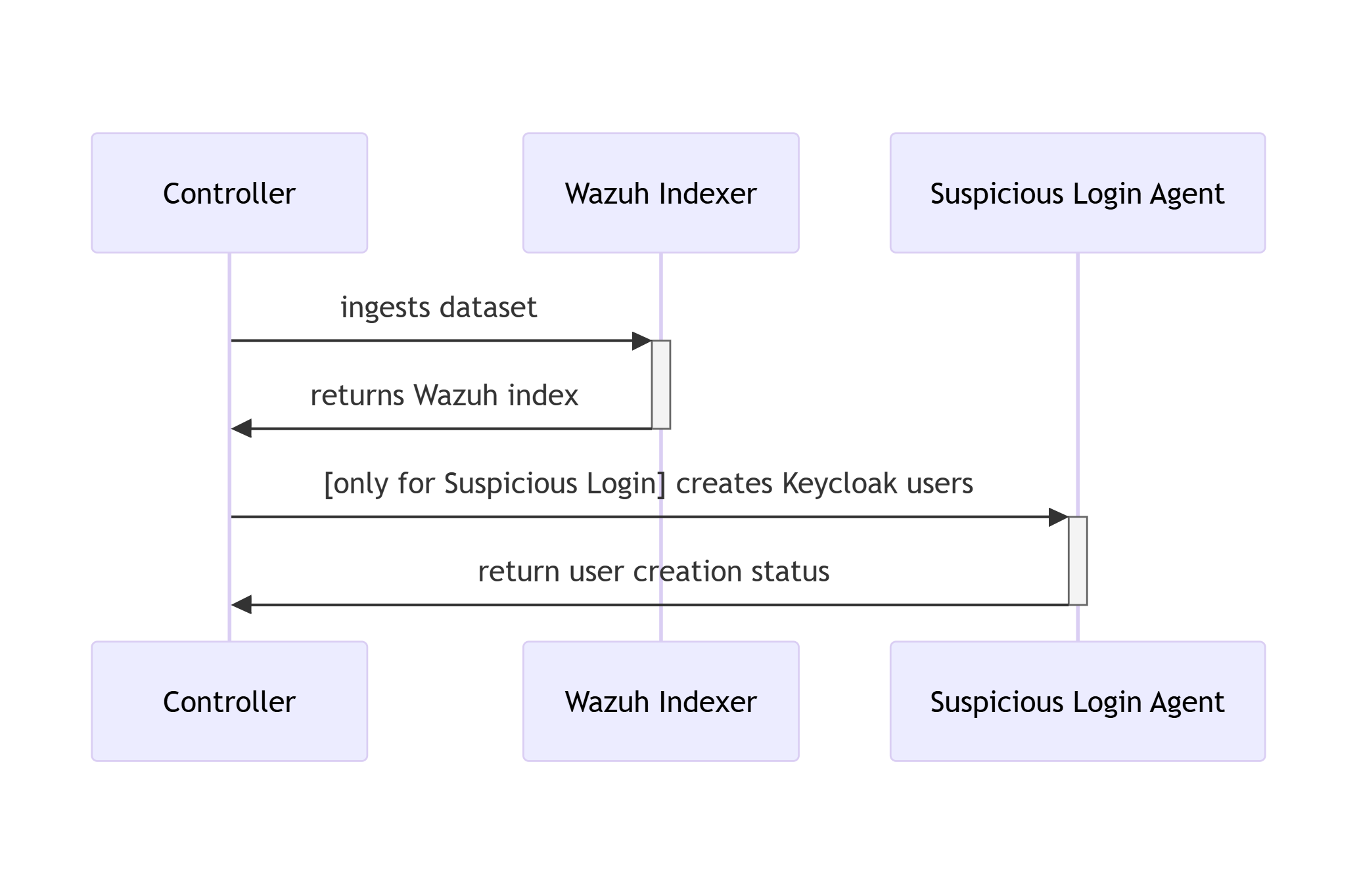
Sequence diagram of data ingestion and user setup in RATF
The diagram below depicts the sequence of actions orchestrated by the RADAR Automated Test Framework in ingestion phase, which - bulk ingests the corresponding dataset into Opensearch index. - and for Suspicious Login scenario creates users in Single Sign-On system.
Parent links: LARC-015 RADAR scenario setup flow
2.2 RATF: setup phase SWD-019
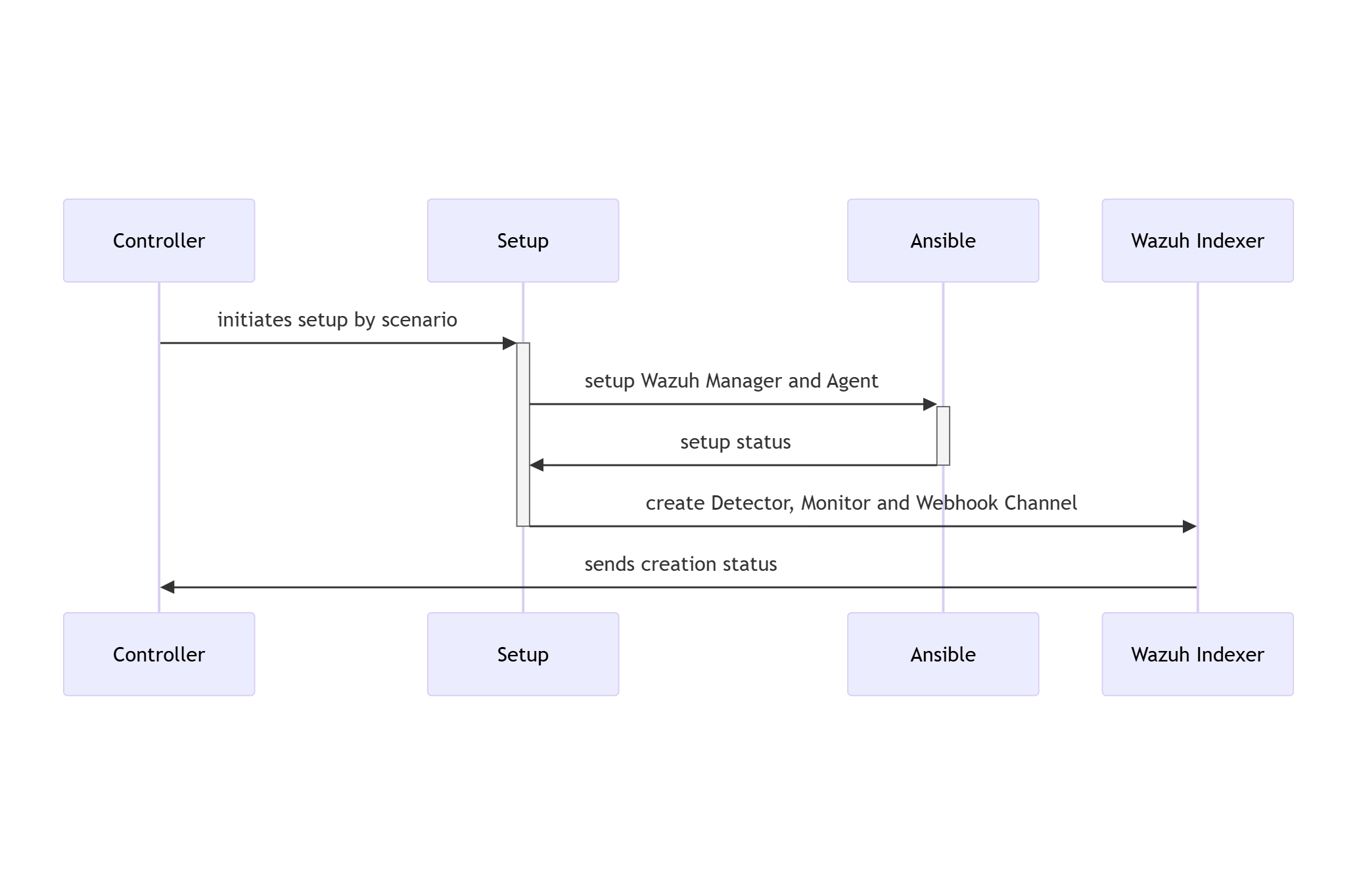
Sequence diagram of environment setup in RATF
The diagram below depicts the sequence of actions orchestrated by the RADAR Automated Test Framework in setup phase, which - sets up Docker environments by copying rules, active responses and setting needed permissions.
Parent links: LARC-015 RADAR scenario setup flow, LARC-016 RADAR active response flow
2.3 RATF: simulation phase SWD-020
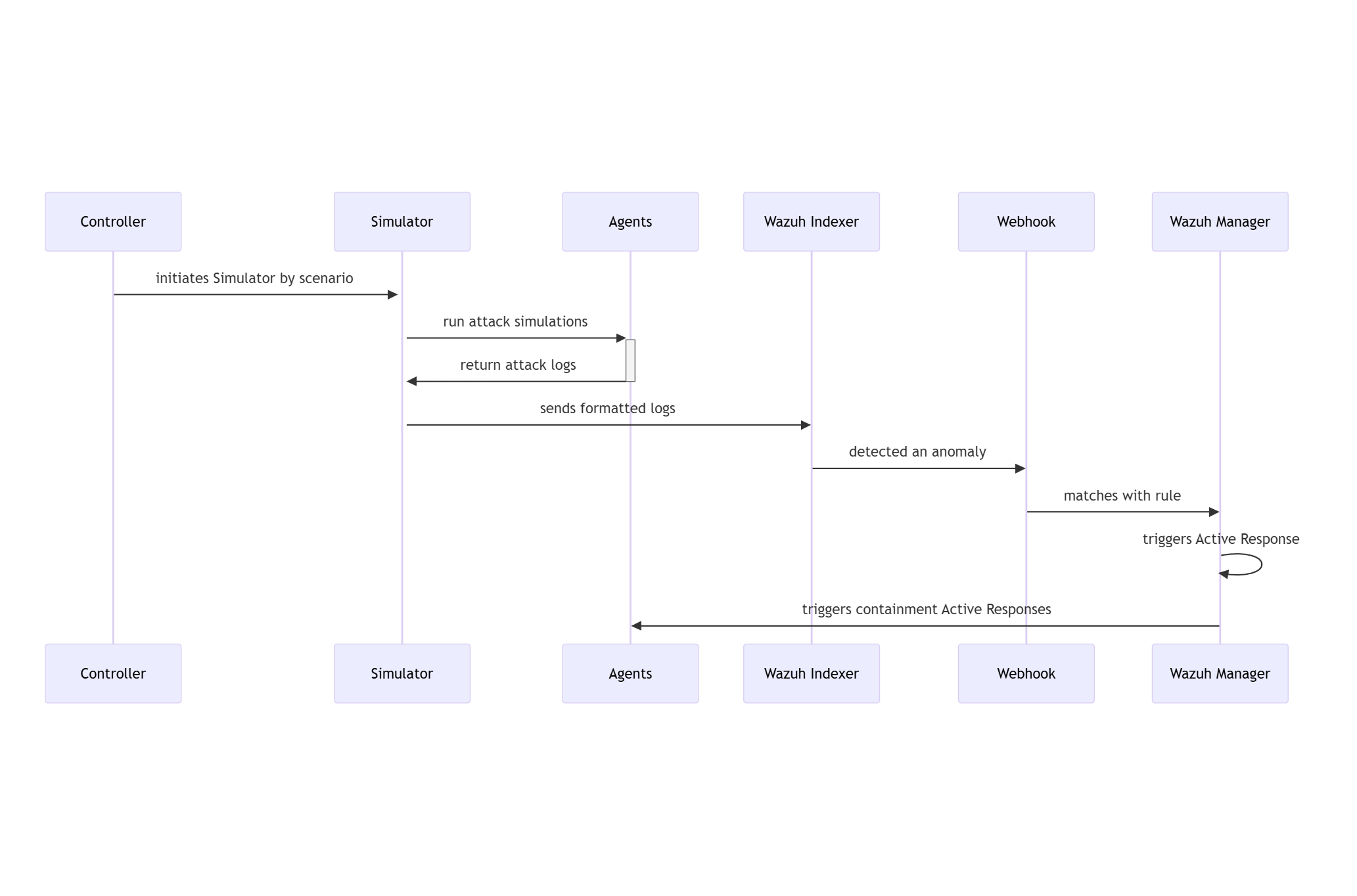
Sequence diagram of threat simulation in RATF
The diagram below depicts the sequence of actions orchestrated by the RADAR Automated Test Framework in simulation phase, which - simulates the threat scenario in corresponding agent - feeds the resulted log to corresponding index in Opensearch.
Parent links: LARC-016 RADAR active response flow
2.4 RATF: evaluation phase SWD-021
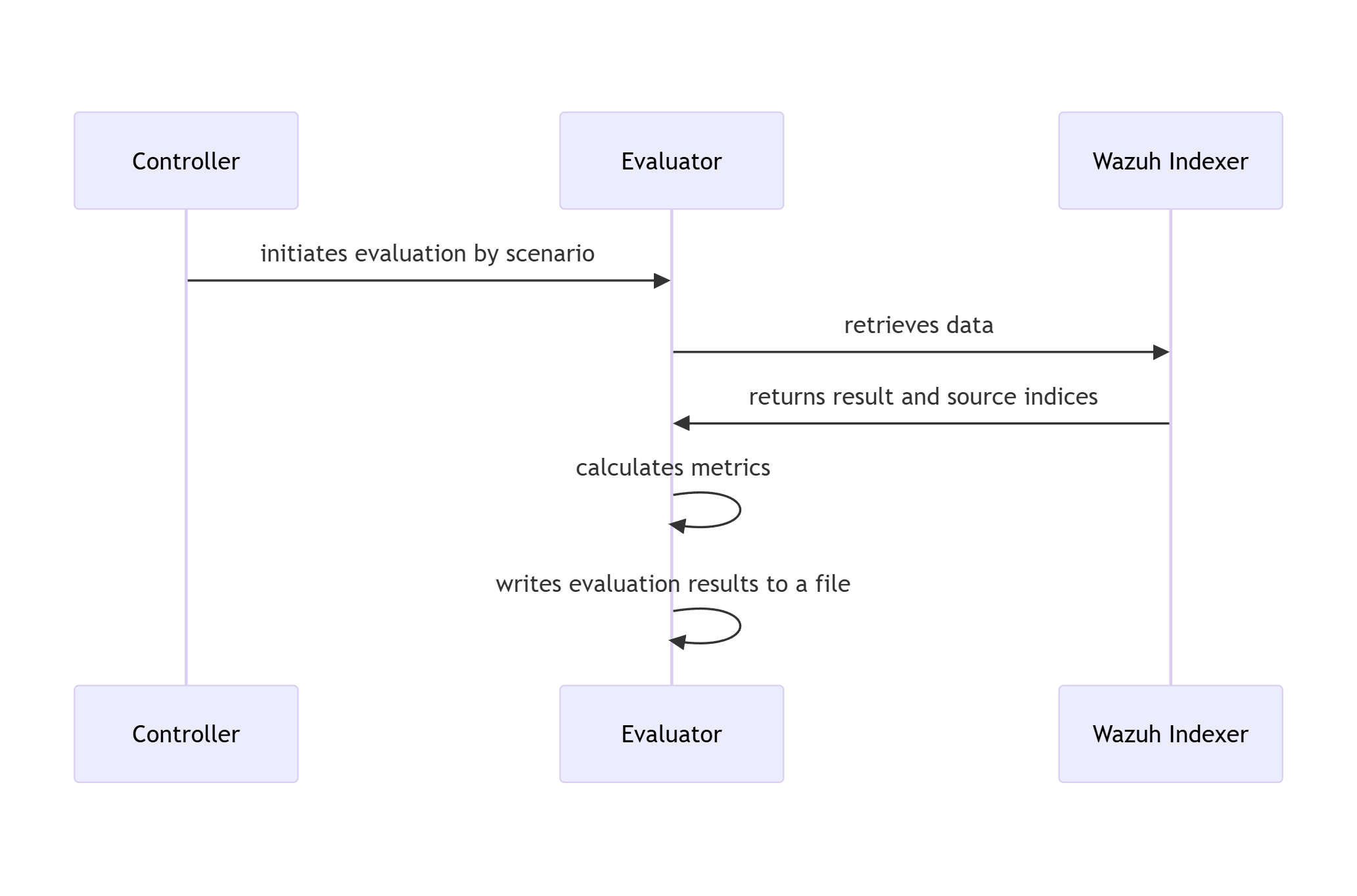
Sequence diagram of metrics evaluation in RATF
The diagram below depicts the sequence of actions orchestrated by the RADAR Automated Test Framework in evaluation phase, which - retrieves the events from corresponding index to scenario - calculates evaluation metrics by comparing with the dataset and simulation results.
Parent links: LARC-016 RADAR active response flow
2.5 RADAR risk engine implementation design SWD-026
This document specifies the implementation design for RADAR's risk-aware decision engine, which combines anomaly detection, signature-based detection, and cyber threat intelligence into a unified risk score that drives tiered automated responses.
Mathematical specification
Risk formula
The normalized risk score R ∈ [0,1] is computed as:
$$R = w_A \cdot A + w_S \cdot S + w_T \cdot T$$
Subject to the normalization constraint: $w_A + w_S + w_T = 1$
Component calculations
Anomaly intensity (A): $$A = G \times C$$
Where:
- G: Anomaly grade from detector (OpenSearch RCF or SONAR MVAD) $\in [0,1]$
- C: Confidence score from detector $\in [0,1]$
Signature risk (S): $$S = L \times I$$
Where:
- L: Likelihood value for scenario from configuration $\in [0,1]$
- I: Impact value for scenario from configuration $\in [0,1]$
CTI score (T):
$$T = \text{clamp}(cti_score_T,\ 0,\ 1)$$
radar_ar.py does not aggregate CTI indicators locally. T is the single normalized score returned by the DECIPHER analyze endpoint for the scenario's payload (SWD-038), clamped to [0,1] as a defensive bound. If DECIPHER is unreachable, or the scenario has no DECIPHER analyze endpoint mapped, T = 0.0 and w_cti should be set to 0 (or redistributed into w_ad/w_sig) in that scenario's ar.yaml entry.
Default weight configuration
Default weights (overridable in ar.yaml):
DEFAULT_WEIGHTS = {
    'w_ad': 0.4,   # Behavioral detection: high information value
    'w_sig': 0.4,  # Signature detection: high precision
    'w_cti': 0.2   # Threat intelligence: confirmatory evidence
}
Rationale:
- Behavioral and signature detection equally weighted as primary detection methods
- CTI provides confirmatory evidence, reducing false positives
- Weights sum to 1.0 for normalized output
Algorithm specification
Risk calculation algorithm
Input parameters:
anomaly_grade: AD output grade $\in [0,1]$confidence: AD output confidence $\in [0,1]$likelihood: Scenario likelihood $\in [0,1]$impact: Scenario impact $\in [0,1]$cti_indicators: List of (indicator_name, weight) tuplesweights: Dict with keys $\omega_{ad}, \omega_{sig}, \omega_{cti}$
Algorithm:
- Calculate component A: $A = \text{anomaly_grade} \times \text{confidence}$
- Calculate component S: $S = \text{likelihood} \times \text{impact}$
- Calculate component T using CTI product formula:
- Initialize $T = 1.0$
- For each indicator weight $w_i$: $T = T \times (1 - w_i)$
- Final: $T = 1 - T$
- Compute weighted risk: $R = w_{\text{ad}} \times A + w_{\text{sig}} \times S + w_{\text{cti}} \times T$
- Clamp to bounds: $R = \max(0, \min(1, R))$
Returns: Risk score R ∈ [0,1]
Tier determination algorithm
Inputs:
risk_score: Calculated risk $R \in [0,1]$tiers: Dict with keystier1_min(default: 0.0),tier1_max(default: 0.33),tier2_max(default: 0.66), read from the scenario'sar.yamlentry
Mapping logic (four tiers; see SRS-061 for the normative response semantics of each):
- If $R < \text{tier1_min}$: Tier = 0
- Else if $R < \text{tier1_max}$: Tier = 1
- Else if $R < \text{tier2_max}$: Tier = 2
- Else: Tier = 3
Returns: Tier integer (0, 1, 2, or 3)
Configuration schema (ar.yaml)
# Scenario-specific configurations
scenarios:
  geoip_detection:
    ad:
      rule_ids: []
    signature:
      rule_ids: ["100900", "100901"]
    w_ad: 0.0
    w_sig: 0.6
    w_cti: 0.4
    delta_signature_minutes: 1
    signature_impact: 0.6
    signature_likelihood: 0.8
    tiers:
      tier1_min: 0.0
      tier1_max: 0.33
      tier2_max: 0.66
    allow_mitigation: true
    mitigations_tier2:
      - firewall-drop
    mitigations_tier3:
      - firewall-drop

  log_volume:
    ad:
      rule_ids: ["100309"]
    signature:
      rule_ids: []
    w_ad: 0.9
    w_sig: 0.0
    w_cti: 0.1
    delta_ad_minutes: 10
    signature_impact: 0.0
    signature_likelihood: 0.0
    tiers:
      tier1_min: 0.0
      tier1_max: 0.33
      tier2_max: 0.66
    allow_mitigation: true
    mitigations_tier2: []
    mitigations_tier3:
      - terminate_service.sh
Implementation classes
RiskEngine class
from dataclasses import dataclass
from typing import Optional

@dataclass
class RiskInput:
    """Input data for risk calculation."""
    anomaly_grade: float = 0.0
    confidence: float = 0.0
    likelihood: float
    impact: float
    cti_score_T: float  # normalized [0,1] score returned by DECIPHER's analyze endpoint; 0.0 if unavailable/unmapped

@dataclass
class RiskOutput:
    """Risk calculation result."""
    risk_score: float
    tier: int                    # 0, 1, 2, or 3
    components: dict[str, float] # A, S, T values for transparency

class RiskEngine:
    """Risk calculation engine."""

    def __init__(self, config: dict):
        """
        Initialize risk engine with configuration.

        Args:
            config: Risk parameters from ar.yaml
        """
        self.weights = config.get('weights', DEFAULT_WEIGHTS)
        self.tier_thresholds = config.get('tier_thresholds', DEFAULT_THRESHOLDS)

        # Validate weights sum to 1.0
        weight_sum = sum(self.weights.values())
        if not np.isclose(weight_sum, 1.0):
            raise ValueError(f"Weights must sum to 1.0, got {weight_sum}")

    def calculate(self, input_data: RiskInput) -> RiskOutput:
        """Calculate risk score and tier."""
        # Calculate components
        A = input_data.anomaly_grade * input_data.confidence
        S = input_data.likelihood * input_data.impact
        T = max(0.0, min(1.0, input_data.cti_score_T))

        # Weighted combination
        R = (self.weights['w_ad'] * A +
             self.weights['w_sig'] * S +
             self.weights['w_cti'] * T)

        # Determine tier
        tier = self._determine_tier(R)

        return RiskOutput(
            risk_score=R,
            tier=tier,
            components={'A': A, 'S': S, 'T': T}
        )

    def _determine_tier(self, risk_score: float) -> int:
        """Map risk score to tier (0, 1, 2, or 3)."""
        if risk_score < self.tier_thresholds['tier1_min']:
            return 0
        elif risk_score < self.tier_thresholds['tier1_max']:
            return 1
        elif risk_score < self.tier_thresholds['tier2_max']:
            return 2
        else:
            return 3
Testing requirements
Unit test coverage
Test cases must cover:
- Boundary conditions: R = 0, R = 1, tier thresholds
- Weight validation: Sum to 1.0, individual bounds $[0,1]$
- CTI clamping:
cti_score_Tof 0.0 (unavailable/unmapped), a mid-range value, and an out-of-bounds value (e.g. > 1.0) to confirm clamping - Tier mapping: Each tier range, threshold boundaries
- Component isolation: Each of A, S, T independently
Example test case specification
Test: Medium tier risk calculation
Given:
- Weights: $\omega_{ad}=0.4, \omega_{sig}=0.4, \omega_{cti}=0.2$
- Tier thresholds: tier1_min=0.0, tier1_max=0.33, tier2_max=0.66
- Inputs: anomaly_grade=0.62, confidence=0.74, likelihood=0.4, impact=0.9
- CTI score: cti_score_T = 0.76 (as returned by DECIPHER's analyze endpoint)
Expected:
- Component A = 0.4588
- Component S = 0.36
- Component T = 0.76
- Risk score R = 0.4795 (within [0.47, 0.48])
- Tier = 2
Integration points
- Input: Alert data from Wazuh (via stdin JSON)
- Configuration: ar.yaml loaded at active response initialization
- Output: Risk score and tier logged to active-responses.log
- Action planning: Tier drives action selection in radar_ar.py
Performance requirements
- Algorithmic complexity: O(n) where n = number of CTI indicators (typically < 10)
- No external API calls during calculation (CTI queried earlier in pipeline)
- Target execution time: < 10ms (suitable for synchronous active response)
Implementation references
Primary implementation: radar/scenarios/active_responses/radar_ar.py
Configuration files:
- radar/scenarios/active_responses/ar.yaml
- Example scenarios: radar/scenarios/
Related documentation:
- Practitioner-facing tuning guide (weights, tiers, mitigations): docs/manual/radar_docs/radar-tuning.md
- Architecture context: HARC-012 (RADAR risk engine architecture)
- Active response pipeline that invokes this engine: SWD-027
Parent links: LARC-021 RADAR risk engine calculation flow, LARC-026 RADAR active response decision pipeline
2.6 RADAR active response script design SWD-027
This document specifies the software design for radar_ar.py, the Wazuh active response script that orchestrates risk-aware automated response for every RADAR scenario. It supersedes the previous version of this document in three respects: the class list did not match the implementation, the decision ID formula and risk formula it restated diverged from SRS-061 and SWD-026, and it described an idempotency cache that does not exist. The risk formula itself is not restated here; it is normatively defined in SWD-026 and HARC-012, and this document only describes how radar_ar.py invokes it.
Architecture overview
The script is a single-process pipeline invoked once per matching Wazuh alert, reading the alert as JSON on stdin and exiting with a status code. It combines three design patterns:
- Strategy pattern: per-scenario behaviour (context time window, effective agent, target IP resolution, DECIPHER payload shape) is implemented as a
BaseScenariosubclass per scenario —GeoipDetection,SuspiciousLogin,LogVolume,ScanningDetection— selected by aRegistrykeyed on scenario name. Scenarios that need no scenario-specific behaviour do not override any method. - Registry pattern:
ScenarioIdentifiermaps an alert's rule ID or rule groups to a scenario, per the matching rules in SRS-061 §3. - Pipeline pattern:
RadarActiveResponse.run()sequences the stages below, with each external dependency (OpenSearch, DECIPHER, the Wazuh API) isolated behind its own client class so a failure in one does not prevent the others from running.
Pipeline stages
- Read and parse the alert from stdin. An empty or unparseable payload ends the pipeline (exit 1); no further stage runs.
- Identify the scenario via
ScenarioIdentifier, per SRS-061 §3. No match ends the pipeline (exit 0, not an error) after a WARNING log; no further stage runs. - Collect context: resolve the scenario's time window and effective agent (SRS-061-adjacent, see below), query OpenSearch for correlated events within that window, extract IOCs from the alert and the correlated events.
- Check DECIPHER health (cached for the remainder of this process; not retried, per SRS-061 §4(i)). If healthy, request CTI analysis via the scenario's
build_analyze_payload(); if unhealthy, or if the scenario has no DECIPHER analyze endpoint mapped, proceed with a null CTI result (cti_score_T = 0.0). - Resolve anomaly grade and confidence from the alert, if the scenario's detection type is
adorhybrid. - Compute the risk score and tier via the risk engine (SWD-026).
- Build the decision ID (below) and resolve the target IP.
- If DECIPHER is healthy and the tier is 1 or above, create a Flowintel incident per SRS-061 §5.
- Plan actions for the tier (below).
- Execute planned actions: check the allowlist once per decision, then dispatch each planned mitigation through the Wazuh API, writing an audit entry for every outcome — including a declined or empty plan, so every decision has an audit trail regardless of whether anything was executed.
- Send the email notification if the tier is 1 or above, per SRS-061 §5(iii).
- Log pipeline completion and return 0.
An unhandled exception at any stage is caught at the top level, logged at CRITICAL with a full traceback, and the script exits 2.
Per-scenario overrides
GeoipDetection and SuspiciousLogin inherit BaseScenario unmodified. Two scenarios override it:
LogVolumeresolves its time window fromperiod_start/period_endon the alert'sdata, when both are present, rather than the delta-based window every other scenario uses; the delta-based fallback still applies if either is absent. It resolves its effective agent fromdata.entity_keywordwhen present, falling back to the alert's own agent name otherwise. Both fields are populated by the OpenSearch anomaly detector's alert payload, not by an external subsystem.ScanningDetectionfilters context events to theradar_scanningrule group and, where a target IP is known, to events sharing that same source IP — preventing an unrelated concurrent scan on the same endpoint from being folded into this decision's context. It resolves the source IP fromhttp.xffbefore falling back tosrc_ip, to account for requests arriving through a reverse proxy. Its DECIPHER payload and display extras are built from aggregated HTTP fields (source IPs, URIs, methods, User-Agents) across the filtered context events, plus an ordered chain of the rule IDs and descriptions that fired.
Context collection
BaseScenario.collect_context() queries wazuh-alerts-* for events within the scenario's time window (delta_ad_minutes for ad-detection scenarios, delta_signature_minutes otherwise — defaults 10 and 1 respectively), filtered to the effective agent for signature and hybrid scenarios, unfiltered for pure ad scenarios. A query returning no events is retried up to AR_CONTEXT_QUERY_ATTEMPTS times (default 4) at AR_CONTEXT_QUERY_RETRY_SECONDS intervals (default 1.5s), to absorb indexing lag between the alert firing and its correlated events becoming searchable. Exhausting all attempts is logged as a WARNING and context collection proceeds with zero events rather than failing the pipeline.
Decision ID
Computed by DecisionId.build() as specified in SRS-061 §6(i): the SHA-256 hex digest of the JSON serialisation (sorted keys) of {alert_id, timestamp, rule_id, agent_id, scenario, detection, window, effective_agent}. The decision ID is used for audit correlation and for the DECIPHER incident reference. It is not used for deduplication: radar_ar.py does not maintain a decision cache, and re-delivery of the same alert is not itself suppressed by this script.
CTI scoping
DECIPHER analyze endpoints are mapped per scenario, not universally. Only scenarios with a mapped endpoint receive a non-zero CTI score when DECIPHER is healthy; a scenario with no mapped endpoint always receives cti_score_T = 0.0 regardless of DECIPHER's availability, logged once per invocation as a WARNING. A scenario's w_cti weight in ar.yaml should be set to 0, or redistributed into w_ad/w_sig, if that scenario has no mapped analyze endpoint.
Action planning
ActionPlanner.plan() implements the tier-to-action mapping from SRS-061 §1: email and incident creation from Tier 1 up; mitigations_tier2 at Tier 2 and mitigations_tier3 at Tier 3, gated on the scenario's allow_mitigation flag. When no mitigation is planned, the plan records a withheld_reason — mitigation_disabled if allow_mitigation is false, tier_out_of_mitigation_range if the tier has no configured mitigations — so the audit entry states why nothing executed rather than leaving it implicit.
Mitigation actions are dispatched by the exact identifier strings firewall-drop, lock_user_linux.sh and terminate_service.sh, per SRS-061 §1(v). lock_user_linux.sh is never dispatched against a resolved username of root.
Allowlist enforcement
AllowlistGuard implements SRS-066 §7–8, generalised to any scenario that sets allowlist_file in ar.yaml — not only scanning_detection. The allowlist is a Wazuh CDB list; a target present in it declines the mitigation (audit reason allowlist) but does not suppress the underlying alert, detection, or risk scoring. A scenario with no allowlist_file configured allows every target unconditionally. An unreadable allowlist file declines fail-closed (audit reason allowlist_unreadable) rather than fail open, consistent with the rationale in SRS-066 §8: a declined block is recoverable, an executed block against unverified infrastructure is not, within its timeout.
Agent resolution
Mitigations are dispatched against a Wazuh agent ID, resolved in order: by name, via the Wazuh API, using the context's effective agent; falling back to the alert's own agent.id if that lookup fails or returns nothing. A mitigation whose agent cannot be resolved by either path is skipped and audited as declined (unresolved_target), not silently dropped.
Audit log format
Every action outcome — executed, declined for any reason, or a decision with nothing planned — produces one audit entry, written as a single line to /var/ossec/logs/active-responses.log in the same format native Wazuh active response scripts use, so it decodes through Wazuh's shipped ar_log_json decoder (rule 650) without a RADAR-specific decoder. Each entry carries at minimum decision_id, rule_id, source_ip, action, tier, result (executed or declined), and, where applicable, reason.
Requirements
-
The script shall exit 1 only when the alert cannot be read or parsed from stdin, exit 0 for every other outcome that completes the pipeline (including no scenario match), and exit 2 for an unhandled exception.
-
A stage failure in DECIPHER health checking, CTI analysis, or incident creation shall not prevent risk scoring, action planning, mitigation execution, or the audit log entry from completing.
-
Every planned or declined action shall produce exactly one audit log entry; a decision with no mitigation planned shall still produce one audit entry with
action: noneand awithheld_reason. -
The allowlist check shall be performed at most once per decision, before any mitigation in that decision is dispatched, and its outcome shall be recorded even when it results in zero mitigations being audited individually (i.e. the decline is attributed to each planned mitigation).
-
Mitigation dispatch shall use the identifier strings specified in SRS-061 §1(v) exclusively; an identifier configured in
ar.yamlthat does not match one of them shall be treated per that requirement, not silently ignored by this script. -
lock_user_linux.shshall never be dispatched with a resolved username ofroot.
Acceptance criteria
- Exit codes: an empty stdin payload exits 1; a well-formed alert matching no scenario exits 0; a well-formed alert raising an unhandled exception in any stage exits 2.
- DECIPHER unavailability: with DECIPHER unreachable, a Tier 2 alert still receives email, audit logging, and — if
allow_mitigationis true — mitigation execution. - Unmapped scenario CTI: for a scenario with no DECIPHER analyze endpoint mapped,
cti_score_Tis 0.0 in the audit entry regardless of DECIPHER's health. - Allowlist decline: a target present in the scenario's allowlist produces a
declined/allowlistaudit entry and no active response dispatch, while the underlying alert and risk score are unaffected. - Unresolved agent: a decision whose effective agent cannot be resolved by name or by the alert's own agent ID produces a
declined/unresolved_targetaudit entry, not a dispatch attempt. - No root lock: a
lock_user_linux.shmitigation whose only resolved username isrootproduces no dispatch for that identity. - Audit decodability: an audit log entry parses under Wazuh's
ar_log_jsondecoder (rule 650) without a RADAR-specific decoder.
Parent links: LARC-026 RADAR active response decision pipeline
2.7 RADAR detector module design SWD-028
This document specifies the software design for the detector creation module (detector.py), which interfaces with the OpenSearch Anomaly Detection plugin to create and manage RCF-based anomaly detectors.
Module overview
The detector module provides functions to:
- Search for existing detectors by name (idempotent operation)
- Build detector specifications from scenario configurations
- Create detectors via OpenSearch AD API
- Start detectors to begin anomaly analysis
Function specifications
find_detector_id
def find_detector_id(detector_name: str, os_client: OpenSearchClient) -> str | None:
    """Search for existing detector by name in .opendistro-anomaly-detectors index.

    Args:
        detector_name: Detector name (e.g., "log_volume_DETECTOR")
        os_client: OpenSearch client instance

    Returns:
        Detector ID if found, None otherwise
    """
    pass
detector_spec
def detector_spec(scenario_config: Dict, scenario_name: str) -> Dict:
    """Build OpenSearch AD detector specification from scenario configuration.

    Args:
        scenario_config: Scenario configuration from config.yaml
        scenario_name: Name of the scenario

    Returns:
        Detector specification dictionary with required and optional fields
    """
    pass
create_detector
def create_detector(spec: Dict, os_client: OpenSearchClient) -> str:
    """Create anomaly detector via OpenSearch AD plugin API.

    Args:
        spec: Detector specification dictionary
        os_client: OpenSearch client instance

    Returns:
        Detector ID of created detector
    """
    pass
start_detector
def start_detector(detector_id: str, os_client: OpenSearchClient) -> None:
    """Start anomaly detector to begin analysis.

    Args:
        detector_id: ID of detector to start
        os_client: OpenSearch client instance
    """
    pass
Main orchestration
Entry point: main() - Orchestrates detector creation pipeline.
Pipeline stages:
- Validate CLI arguments (requires scenario name)
- Load scenario configuration from config.yaml
- Initialize OpenSearch client from environment variables
- Search for existing detector (idempotent check)
- Create detector if not found
- Start detector
- Output detector ID to stdout
Environment variables: OS_URL, OS_USER, OS_PASS, OS_VERIFY_SSL
Exit codes: 0 (success), 1 (error)
Configuration schema
Scenario configuration parameters used by detector_spec():
Required: features (list of feature definitions with aggregation queries)
Optional: index_prefix, time_field, detector_interval, delay_minutes, categorical_field, shingle_size, result_index
Defaults: time_field="@timestamp", detector_interval=5, delay_minutes=1, shingle_size=8
See radar/config.yaml for complete examples.
OpenSearch AD API endpoints
Detector creation: POST /_plugins/_anomaly_detection/detectors
- Required fields:
name,time_field,indices,feature_attributes,detection_interval - Optional fields:
category_field,shingle_size,result_index,window_delay - Returns:
{"_id": "detector_id", ...}
Detector start: POST /_plugins/_anomaly_detection/detectors/{id}/_start
- No request body
- Returns:
{"_id": "detector_id", ...}on success
See OpenSearch AD plugin documentation for complete API schema.
Error handling
- Detector already exists: find_detector_id returns existing ID, creation skipped
- Invalid configuration: Validation raises ConfigException before API call
- API errors: OpenSearchException raised with error details
- Network errors: Retry with exponential backoff (3 retries, max 10s delay)
Integration
Executed in run-radar.sh pipeline to create and start detector. Outputs detector ID to stdout for use by monitor.py.
Implementation
This specification describes the design and interfaces for the RADAR detector creation module. See these files for complete implementation:
- radar/anomaly_detector/detector.py - Full implementation
- radar/config.yaml - Configuration examples
- docs/manual/radar_docs/radar-run-ad.md - User documentation
- Logging and debugging output
Parent links: LARC-022 RADAR detector creation workflow
2.8 RADAR monitor and webhook module design SWD-029
This document specifies the detailed design of the monitor and webhook Python modules used in RADAR's anomaly detection workflow. These modules create and configure OpenSearch monitors and webhook notification channels.
Module overview
The RADAR anomaly detector subsystem consists of two primary modules:
- webhook.py: Manages OpenSearch notification channel destinations for webhook endpoints
- monitor.py: Creates OpenSearch alerting monitors that evaluate detector results and trigger webhook notifications
webhook.py class structure

Key functions
| Function | Purpose | Returns |
|---|---|---|
notif_list() |
Query all notification configurations | List of notification configs |
notif_find_id(name, url) |
Search for existing webhook by name and URL | Webhook destination ID or None |
notif_create(name, url, description) |
Create new webhook destination | Webhook destination ID |
ensure_webhook(name, url, description) |
Idempotent webhook creation (find or create) | Webhook destination ID |
monitor.py class structure

Monitor creation sequence

Monitor payload structure
The monitor payload includes:
Schedule: Evaluation frequency
- Default: Uses
detector_intervalfrom scenario config - Override:
monitor_intervalif specified - Unit: MINUTES
Search Input: Query against detector result index
- Index pattern:
{result_index}from scenario - Time range: Last N minutes (where N = interval)
- Filter:
detector_idmatches created detector - Aggregation:
max(anomaly_grade)
Trigger Condition (Painless script):
return ctx.results != null &&
       ctx.results.length > 0 &&
       ctx.results[0].aggregations.max_anomaly_grade.value > {grade_threshold} &&
       ctx.results[0].hits.hits[0]._source.confidence > {confidence_threshold}
Webhook Action Message:
{
  "monitor": {"name": "{{ctx.monitor.name}}"},
  "trigger": {"name": "{{ctx.trigger.name}}"},
  "entity": "{{ctx.results.0.hits.hits.0._source.entity.0.value}}",
  "periodStart": "{{ctx.periodStart}}",
  "periodEnd": "{{ctx.periodEnd}}",
  "anomaly_grade": "{{ctx.results.0.hits.hits.0._source.anomaly_grade}}",
  "anomaly_confidence": "{{ctx.results.0.hits.hits.0._source.confidence}}"
}
Configuration parameters
From config.yaml scenario section:
| Parameter | Default | Description |
|---|---|---|
monitor_interval |
detector_interval |
Monitor evaluation frequency (minutes) |
detector_interval |
5 | Detector run interval (minutes) |
anomaly_grade_threshold |
0.2 | Minimum anomaly grade to trigger (0-1) |
confidence_threshold |
0.2 | Minimum confidence to trigger (0-1) |
result_index |
opensearch-ad-plugin-result-{scenario} |
Detector result index pattern |
monitor_name |
{scenario}-monitor |
Monitor name |
trigger_name |
{scenario}-trigger |
Trigger name |
From .env file:
| Variable | Required | Description |
|---|---|---|
OS_URL |
Yes | OpenSearch endpoint URL |
OS_USER |
No | OpenSearch username (if auth enabled) |
OS_PASS |
No | OpenSearch password |
OS_VERIFY_SSL |
No | SSL certificate verification (default: true) |
WEBHOOK_NAME |
No | Webhook destination name (default: "RADAR Webhook") |
WEBHOOK_URL |
Yes | Webhook endpoint URL (e.g., http://manager:8080/notify) |
Error handling
Both modules implement robust error handling:
- Connection errors: HTTP status validation with detailed error messages
- Missing configuration: Explicit validation of required environment variables
- API failures: Graceful exit with status codes and response text
- Idempotency:
find_monitor_id()andnotif_find_id()check for existing resources
Integration with RADAR workflow
run-radar.shexecutesdetector.pyto create OpenSearch AD detector- Detector ID is passed to
monitor.pyas command-line argument monitor.pycallswebhook.ensure_webhook()to get/create notification channelmonitor.pybuilds monitor payload with detector ID and webhook destination ID- Monitor is created and begins evaluating detector results at configured intervals
- When anomalies exceed thresholds, monitor triggers webhook POST to configured endpoint
Parent links: LARC-023 RADAR monitor and webhook workflow
2.9 RADAR manager-side enrichment module design SWD-030
This document specifies the design of RADAR's log enrichment layer, which adds geographic, network and behavioural context to authentication and web access events before they are evaluated by the scenario rulesets.
Enrichment executes on the Wazuh manager, as an integratord integration.
It supersedes the previous design, in which a radar-helper.py daemon ran on
each monitored endpoint. That daemon, its virtualenv, its systemd unit and its
per-endpoint GeoIP databases have been removed.
Design rationale
Centralising enrichment on the manager was driven by correctness as much as by deployment cost:
- Per-user state was previously per-endpoint. Geo-velocity and ASN novelty are computed against a user's recent login history. With state held on each endpoint, a user authenticating to two hosts had two disjoint, mutually inconsistent histories, and impossible-travel between those hosts could not be detected at all. State is now single-instance on the manager, so the property holds regardless of which endpoint a user reaches.
- Endpoints carry no RADAR software. A monitored host needs only the Wazuh agent. There is no interpreter, dependency, database file or service to install, patch or monitor on the endpoint.
- GeoIP databases are maintained in one place, under the manager's control, rather than distributed to and refreshed on every endpoint.
Module structure
manager-enrichment/
├── custom-radar-enrich          Integration entry point — authentication events
├── custom-radar-web-enrich      Integration entry point — web access events
├── enrichment.py                Auth parsing, RadarEnricher, tail formatting
├── web_enrichment.py            Web access parsing and tail formatting
├── geoip.py                     MaxMind City/ASN lookup
└── state_store.py               UserState, UserStateStore (SQLite)
Deployed layout on the manager:
| Source | Destination |
|---|---|
custom-radar-enrich, custom-radar-web-enrich |
/var/ossec/integrations/ |
enrichment.py, web_enrichment.py, geoip.py, state_store.py |
/var/ossec/integrations/radar_enrichment/ |
| GeoLite2-City / GeoLite2-ASN | /var/ossec/etc/radar/ |
| User state database | /var/ossec/etc/radar/user_state.sqlite3 |
Both entry points run under the Wazuh framework interpreter
(/var/ossec/framework/python/bin/python3) and prepend radar_enrichment/ to
sys.path, so the shared modules are importable without installing a package.
Two-pass decoding
Enrichment is invoked by an alert, and its output is re-ingested as a log line. The resulting flow has two decoding passes:
- Wazuh's stock
sshddecoders and rules classify a rawauth.logline asauthentication_successorauthentication_failed. That alert triggers thecustom-radar-enrichintegration, registered on those rule groups. - The integration writes the original line plus a
RADAR …tail to/var/ossec/logs/radar/enriched_auth.log. The manager monitors that file, so the enriched line is decoded a second time — this pass is what the-with-radardecoders in0310-ssh.xmlexist for.
The web path is the same shape, registered on the accesslog group and writing
/var/ossec/logs/radar/enriched_web_access.log.
Requirements
Loop prevention
- The authentication integration shall terminate without output if the incoming
alert's
full_logalready contains a RADAR tail. Without this, the second decoding pass would re-trigger the integration and enrich its own output indefinitely.
Independent parsing
-
The integration shall parse the event timestamp, username, source IP and outcome from the original log text, independently of Wazuh's decoded fields. The scenario's own decoders only populate those fields once a RADAR tail is present, so depending on them would create a circular dependency on the pass the integration is meant to produce.
-
An unparseable line shall cause the integration to exit silently without writing an enriched record, rather than emit a partially populated tail.
Enrichment content
-
For each authentication event the enricher shall resolve, where available: country, region, city, latitude, longitude and ASN of the source address; the geo-velocity implied by the user's previous authentication; whether the country changed; and whether the ASN is novel for that user.
-
Geo-velocity shall be computed as great-circle distance over elapsed time between consecutive events for the same user.
-
ASN novelty shall be evaluated against a bounded, time-windowed history of ASNs previously seen for that user; entries older than the window shall be discarded rather than retained indefinitely.
-
Web access enrichment shall resolve country, region, city, latitude and longitude only. It shall not compute velocity or novelty, which are meaningless for unauthenticated traffic.
-
Web access enrichment shall skip source addresses in private ranges, which cannot be geolocated.
State
-
User state shall be persisted in a single SQLite database on the manager, keyed by username, so that history is consistent across all monitored endpoints.
-
The state database and the enrichment output files shall be group-writable by
wazuh, sinceintegratordand the manager processes run under different accounts.
Failure isolation
-
Enrichment failure shall never suppress the underlying alert. On any exception the integration shall append a diagnostic to
/var/ossec/logs/radar/enrichment_errors.logand exit without output; the first-pass alert remains unaffected. -
Failure to write the error log shall itself be non-fatal.
-
A missing GeoIP database or absent license key shall degrade enrichment to no output for the affected events, not crash the integration or block deployment of the scenario.
Acceptance criteria
- No enrichment loop: an enriched line re-ingested by the manager produces no second enriched record.
- Cross-endpoint velocity: a user authenticating to two different endpoints from distant locations within a short interval produces a geo-velocity value derived from both events.
- Independent parsing: enrichment succeeds on a first-pass alert whose RADAR-specific decoded fields are absent.
- Failure isolation: with the GeoIP databases removed, authentication
alerts continue to be raised, an entry appears in
enrichment_errors.log, and the manager does not stop. - Private-address handling: a web request from an RFC 1918 address produces no enriched record and no error entry.
- State windowing: ASN history entries older than the configured window are absent from the persisted state.
Parent links: LARC-025 RADAR helper enrichment pipeline
2.10 RADAR simulation framework software design SWD-039
This document specifies the design of the RADAR scenario simulation framework, which generates realistic attack artefacts on a monitored endpoint to validate a deployed scenario end to end. It supersedes the previous version of this document, which specified an Ansible-orchestrated, remote-dispatch design (simulate-radar.sh, simulate.yml, inventory.yaml, a simulate: block in config.yaml) that is not present in the codebase. There is no orchestrator, no remote dispatch, and no config.yaml integration: each scenario is a standalone script, copied to and executed directly on the endpoint.
Purpose
Detection scenarios cannot be validated by injecting synthetic OpenSearch documents alone, because signature scenarios evaluate real log lines and the enrichment pipeline parses real log text. The simulation framework instead produces the artefact each scenario actually detects — an auth.log entry, filesystem growth, a Suricata eve.json record — on the endpoint itself, so the full pipeline (agent → manager → decoder → rule → enrichment → risk engine → active response) is exercised.
Module inventory
| Module | Kind | Responsibility |
|---|---|---|
simulate/scenarios/suspicious_login.py |
Standalone script | SSH failure burst and success entries from a pool of source IPs |
simulate/scenarios/geoip_detection.py |
Standalone script | SSH success entry from a single non-whitelisted source IP |
simulate/scenarios/log_volume.py |
Standalone script | Exponential filesystem growth under a target directory |
simulate/scenarios/scanning_detection.py |
Standalone script | Suricata eve.json records covering every indicator and correlation case in SRS-066 |
There is no shared module and no package __init__.py. Each script is self-contained and depends only on the Python 3 standard library, so it runs on an endpoint with nothing installed beyond the interpreter itself.
Design rationale
Three properties were prioritised over the previous orchestrated design:
- No control-node dependency. A script is copied to the endpoint and run there; there is no SSH fan-out, no inventory, and no vault to unlock. This mirrors the removal of Ansible from the deployment control plane (see SWD-042) and for the same reason: the endpoint estate is not assumed to be centrally reachable at simulation time.
- No environment coupling. Each script's tunable values live in a
CONFIGdictionary at the top of the file. There is noconfig.yamlschema to keep in sync with four independent scripts, and no risk of a simulation parameter drifting from the detection parameters it is meant to exercise. - Deterministic, addressable output. Every script prints which rule IDs its output is expected to trigger, so a run can be checked against the Wazuh dashboard without cross-referencing separate documentation.
Common structure
- A
CONFIGdictionary declares every tunable value: target host identity, log path, source address pool, timing, and scenario-specific parameters. There is no command-line configuration and no external config file read for these values. - A
main()function performs the simulation and prints progress to stdout, including, on completion, the rule IDs the emitted artefact is expected to trigger. - Top-level exception handling is uniform across all four scripts:
- A
RuntimeErrorraised for an operational failure (permission denied, disk full, target unwritable) is caught, printed asERROR: <message>to stderr, and the script exits 1. - Any other exception is caught, printed as a shortERROR: <scenario> simulation failed: <message>to stderr with a pointer to setRATF_DEBUG=1for the full traceback, and the script exits 1. IfRATF_DEBUGis set, the exception is re-raised instead.
suspicious_login.py
Appends a failed-login burst followed by a successful login to the configured log_path (default /var/log/auth.log), using sshd-formatted lines with a configurable hostname, PID, ports, key fingerprints, and a pool of source IPs drawn from CONFIG["ip_pool"]. Timestamp format (syslog or ISO 8601) is detected from the existing log content so the injected lines match the surrounding format. Writes via tee -a, optionally under sudo if CONFIG["sudo_tee"] is set, for environments where the log file is not writable by the invoking user.
Target rules: 210012, 210013, 210020, 210021.
geoip_detection.py
Appends a single successful SSH login from a source IP outside the configured whitelist to log_path (default /var/log/auth.log). Shares its log-writing and timestamp-detection logic with suspicious_login.py, duplicated rather than imported, consistent with each script being independently copyable.
Target rules: 100900, 100901.
log_volume.py
Appends bytes to a spike file under CONFIG["target_dir"] (default /var/log) in CONFIG["steps"] increments, each increment scaled by CONFIG["growth_factor"] from the previous one, up to CONFIG["max_total_bytes"] and CONFIG["max_step_bytes"] ceilings. If CONFIG["cleanup_minutes"] is greater than 0, a detached background shell process (sh -lc 'sleep …; rm -f …' &) removes the spike file after that many minutes; a value of 0 leaves the file for manual removal.
Target rule: 100309, after the anomaly detector's next interval.
scanning_detection.py
Emits Suricata eve.json-formatted records directly, matching the field names the SRS-066 ruleset keys on: src_ip, http.http_user_agent, http.status, http.http_method, http.hostname. Unlike the other three scripts, this one is organised as a set of named cases, each producing a specific, documented outcome:
| Case | Produces |
|---|---|
i1_only |
A single scanner User-Agent request — rule 100810 only, no confirmation |
i2_only |
Failed requests at the configured threshold — rule 100825 only |
i2_below |
One request fewer than the threshold — rule 100815 only, 100825 does not fire |
i2_spread |
The threshold count spread across four source IPs — nothing fires |
i3_only |
TRACE and PROPFIND from a browser User-Agent — rules 100820/100821, no confirmation |
i3_excluded |
OPTIONS, PUT, DELETE, PATCH — nothing fires |
webdav_app |
PROPFIND from a virtual host on the WebDAV allowlist — nothing fires |
confirm_1_2 |
Scanner User-Agent plus a failed-request burst — rule 100830 |
confirm_1_3 |
Scanner User-Agent plus TRACE — rule 100830 |
confirm_2_3 |
Failed-request burst plus TRACE — rule 100830 |
confirm_split |
Two indicators from two different source IPs — 100830 does not fire |
legit |
A normal session, CORS preflight, crawler and monitoring traffic — nothing above level 3 |
Running the script with no arguments executes every case in sequence, spaced so each alert is individually attributable; running it with one or more case names as arguments executes only those. An unrecognised case name is rejected before any traffic is emitted. By default the script pauses after each case for interactive confirmation that the expected alert was observed in the dashboard, printing a running summary at the end; -batch (or -b, -non-interactive) disables the pause and runs unattended.
This script exercises every indicator and confirmation path in SRS-066 by name, and is the intended mechanism for validating that specification's acceptance criteria on a live deployment.
Requirements
-
Each simulation script shall depend only on the Python 3 standard library, so that no package installation is required on the target endpoint beyond the Wazuh agent's own prerequisites.
-
Each simulation script shall be independently executable: copying a single file to the endpoint and running it with
python3 <script>.pyshall be sufficient, with no companion file, package, or configuration required. -
Each simulation script shall expose its tunable parameters as a single
CONFIGdictionary at module scope, editable in place before the script is copied to the endpoint. -
Each simulation script shall report, on completion, the Wazuh rule ID(s) its emitted artefact is expected to trigger.
-
Each simulation script shall distinguish an operational failure (permission denied, unwritable target, insufficient disk space) from an unexpected internal error, and shall report the former as a short, actionable message rather than a traceback. An internal error shall additionally offer a documented environment variable (
RATF_DEBUG=1) to obtain the full traceback on demand. -
The
log_volumescript's background cleanup process shall be detached from the parent process, so that the simulation script may exit while the scheduled removal still executes. -
The
scanning_detectionscript shall provide at least one case per indicator (fired alone) and one case per pairwise indicator combination defined in SRS-066, and shall support running a single named case in isolation for targeted verification.
Acceptance criteria
- No dependencies: each script executes successfully on a minimal Python 3 installation with no third-party packages available.
- Rule ID reporting: for each script, the rule IDs printed on completion match the rule(s) that fire in the Wazuh dashboard for a default
CONFIG. - Failure message clarity: running a script against an unwritable target path produces a single-line
ERROR:message and a non-zero exit code, with no traceback unlessRATF_DEBUG=1is set. - Cleanup detachment: for
log_volumewithcleanup_minutesset, the spike file is removed at the scheduled time even if the parent script has already exited. - Scanning coverage: running
scanning_detection.pywith no arguments executes every case in the table above, and running it with a single case name executes only that case, confirmed by its printed rule-ID hint.
Parent links: HARC-005 RADAR Automated Test Framework architecture
2.11 RADAR GUI software design SWD-041
This document specifies the software design of the RADAR GUI (radar/gui/), a Flask-based web application providing a browser interface for the full RADAR operational lifecycle. It covers the backend-to-frontend architecture, key design decisions, and the credential/session security model. Frontend component internals (HTML structure, JavaScript event wiring, CSS) are out of scope.
Purpose and scope
The RADAR GUI replaces direct file editing and shell invocation for routine RADAR operations. It wraps build-radar.sh, run-radar.sh, health-radar.sh and the radar_deploy/ scripts with a browser interface, manages ar.yaml through structured forms, stores connector credentials in .env, and holds the host sudo password in a session-scoped, in-memory credential store.
The interface presents three pages — RADAR Scenarios, Connectors and Deployment. It does not manage an Ansible inventory: RADAR deploys against the local manager's REST API, so there is no host inventory, no host_vars/, and no vault to unlock.
Module structure
gui/
├── app.py                 Flask application: all routes and startup
├── requirements.txt       Runtime dependencies
└── orchestrator/          Backend modules — no Flask dependency
    ├── ar_config.py       Read/write ar.yaml
    ├── connectors.py      Read/write .env, live connector tests
    ├── deploy.py          Command assembly, subprocess streaming
    ├── health.py          Health-check execution
    └── vault.py           Session-scoped sudo password store
The orchestrator modules are deliberately kept free of Flask imports. This separation allows the file-management and subprocess logic to be tested independently and reused by CLI tooling without importing the web framework.

Flask application: app.py
Startup and RADAR_ROOT resolution
app.py resolves the RADAR root directory at import time:
RADAR_ROOT = str(Path(os.environ.get("RADAR_ROOT", Path(__file__).parent.parent)).resolve())
The default places the root at the parent of gui/ (i.e., the radar/ directory). Setting the RADAR_ROOT environment variable before starting the server redirects all file I/O to a different installation, enabling the GUI to manage an alternate RADAR root without code changes.
The server runs with threaded=True so that long-running streaming responses (build output, health check output) do not block subsequent requests on the same worker.
Route organisation
Routes are grouped into two sets: page routes and API routes.
Page routes (/, /active-responses, /infrastructure, /connectors, /deploy) render templates with data fetched from the orchestrator modules. They pass only the data needed for initial render; all subsequent interactions go through the API routes via JavaScript.
API routes (/api/...) are the stable contract between the frontend and the backend.
Orchestrator modules
AR configuration management: ar_config.py
Reads and writes scenarios/active_responses/ar.yaml. The central design decision is default-block deep-merge: ar.yaml contains a scenarios.default block that holds baseline values shared across all scenarios. get_scenario() loads the full file, starts with a deep copy of the default block, and merges the scenario-specific block on top. This means scenario entries in ar.yaml only need to store values that differ from the defaults.
update_scenario() applies a partial patch to the existing scenario entry using the same deep-merge logic, so the GUI can send only the changed fields rather than the full config on every save.
All writes use atomic temp-file replacement (ar.yaml.tmp -> ar.yaml) under a module-level threading.Lock to prevent partial writes if two browser sessions submit simultaneously.
Privileged operation model
The GUI performs no inventory management. Operations requiring root on the GUI
host — bringing up the manager stack, minting an enrollment token, opening or
closing the enrollment window, and tearing the stack down — obtain the sudo
password from the session store described below and feed it to sudo -A
non-interactively.
Operations that act on the manager rather than the host — deploying a scenario's ruleset, assigning agent groups, deregistering an agent, running the health check — are performed through the Wazuh REST API and require no host privilege.
External service credentials: connectors.py
Manages credentials and URLs in .env at the RADAR root. The module defines FIELD_MAP, a 27-entry dict mapping GUI field IDs to environment variable names, and PASSWORD_KEYS, a 5-entry subset mapping the five secret field IDs to their environment variable names:
PASSWORD_KEYS = {
    "os-pass":         "OS_PASS",
    "wazuh-pass":      "WAZUH_AUTH_PASS",
    "dashboard-pass":  "DASHBOARD_PASS",
    "smtp-pass":       "SMTP_PASS",
    "decipher-token":  "DECIPHER_TOKEN",
}
The /api/connectors/reveal endpoint checks the incoming request body key against set(PASSWORD_KEYS.values()) — the environment variable names, not the field IDs. The request must therefore send the environment variable name (e.g. "OS_PASS"), and the endpoint refuses any key not in that set of five values.
SSL verification fields (*-ssl-enabled) are handled separately from FIELD_MAP via a dedicated ssl_prefix_map in save_connector(): if the value is "false", the corresponding *_VERIFY_SSL environment variable is set to "false"; if a CA certificate is present in the same request, its content is written to .certs/<name>-ca.pem (chmod 0600) and the path is stored as the environment variable value; otherwise the environment variable is set to "true". Certificate content fields (*-cert-content) are silently skipped in the main field loop since they are consumed by the SSL branch.
All .env writes are performed inside save_connector(), threading.Lock block. _write_env() is called from within that lock and preserves existing comments and unrelated keys by parsing the file line by line, replacing only lines whose key appears in the updated environment dictionary. New keys not previously in the file are appended. The final write uses atomic temp-file replacement (.env.tmp -> .env).
Subprocess streaming: deploy.py
Builds the shell command for build-radar.sh, run-radar.sh, or health-radar.sh from the validated spec dict, then streams the subprocess output to the client via Flask's stream_with_context generator.
Validation before execution: _validate_scenario() and _validate_mode() raise ValueError before any subprocess is spawned if the inputs are invalid. The error is yielded as [ERROR] ... to the output stream, not returned as a JSON error, because the stream has already been opened with mimetype="text/plain".
Termination: The streaming generator wraps subprocess.Popen in a try/finally. When the operator clicks Stop, the JavaScript frontend calls AbortController.abort(), which raises an AbortError in the browser and closes the HTTP connection on the client side. Flask's stream_with_context generator then has no consumer to yield to, exits its loop, and reaches the finally block, which calls proc.terminate() followed by proc.wait(timeout=5), then proc.kill() if the timeout expires.
Sudo injection: actions requiring host privilege prepend sudo -A and supply an askpass helper fed from the session store. Actions that do not — stream_run for the Anomaly Detector tab, the health check, and all Wazuh API operations — are invoked without it, since they authenticate over HTTP using credentials from .env.
Per-node health checks: health.py
Invokes health-radar.sh, which runs the manager filesystem and container checks (radar_deploy/manager-health.sh) followed by the API-side checks (wazuh_api.cli manager-health-api), and the per-agent checks (wazuh_api.cli agent-health) when agent names are supplied. Output is streamed to the Output panel rather than collected into a structured result file.
Each emitted line is marked OK, WARN or FAIL. The check is read-only: it
never restarts a service or remediates a detected fault.
Credential session store: vault.py
In-memory session store: the host sudo password is held in a module-level
dictionary keyed by a session ID (secrets.token_urlsafe(24)). The session ID is
issued as an HttpOnly, SameSite=Lax cookie (radar_vault_sid) on first use. The
password is never written to disk.
Naming: the module and cookie retain the vault name from the previous
Ansible-based design, where they also held an Ansible Vault password and an SSH
passphrase. Neither exists any longer; the module's sole remaining
responsibility is the sudo password.
Lifecycle: the store does not survive a Flask process restart, by design —
no session database to maintain, no session files to protect, and a clean
security boundary. An action requiring sudo after a restart re-prompts.
Prompt-on-demand: the GUI does not ask for the password at login. An API
call that needs it and does not have it returns 403 with need_sudo: true;
the frontend then prompts, submits to the unlock endpoint, and retries the
original action once.
Session and security model
The vault session does not survive a Flask process restart. This is by design: keeping state only in process memory means no session database to maintain, no session files to protect, and a clean security boundary.
The sudo credential state is polled by the frontend via /api/sudo/status on page load, and exposed through a badge indicating whether the password is currently held for the session, with a control to set or clear it.
Known defect (open): the frontend updates this badge by element id
sudo-badge, which no template currently renders, so the badge never appears. The prompt-on-demand path is unaffected and remains the working route to setting the password.
File I/O consistency
All file mutations across the orchestrator modules follow the same pattern:
- Acquire a module-level
threading.Lock. - Read the current file contents.
- Apply the change in memory.
- Write to a
.tmpsibling file. - Atomically rename
.tmp-> target. - Release the lock.
The temp file suffixes by module: ar.yaml.tmp (ar_config) and .env.tmp (connectors). This ensures that a concurrent request or an unexpected process termination during step 4 never leaves a half-written config file.
Parent links: SRS-063 RADAR SOAR Web Interface - REST API, SRS-064 RADAR SOAR Web Interface - Frontend
2.12 RADAR deployment control plane SWD-042
This document specifies the design of the RADAR deployment control plane: the entry-point scripts, the manager-side shell backbone, and the Wazuh API integration layer that together apply, verify, and reverse a scenario deployment. It supersedes SWD-031, which specified an Ansible role architecture no longer present in the codebase.
Scope excludes the risk engine (SWD-026), the active response script (SWD-027), and the web interface (SWD-041), all of which are consumers of this layer.
Design rationale
The control plane replaced an Ansible-based implementation. Three properties drove the change:
- No control-node dependency. Deployment targets the manager's own REST API rather than SSH into hosts, so no inventory, no vault, and no controller-side credential store is required.
- Single privileged host. The manager runs locally, on the same host as the
entry-point scripts.
sudois needed only for Docker bind mounts under/srv/wazuh/and for the host firewall rule governing enrollment. - Endpoints are self-onboarding. An endpoint is enrolled by running one script on it with a short-lived token, rather than by being pushed to from a central controller.
Module structure
radar.sh                        Single entry point; dispatches to the scripts below
├── build-radar.sh              Bring up the core stack and apply one scenario
├── run-radar.sh                Ingest, create detector, create monitor
├── health-radar.sh             Read-only deployment verification
├── stop-radar.sh               Stop the stack, optionally purging volumes
├── bootstrap-agent.sh          Run on the endpoint: install, enroll, join groups
└── radar_deploy/               Manager-side shell backbone
    ├── _lib.sh                     Shared helpers: env loading, dexec, hostpath
    ├── manager-apply-scenario.sh   Filesystem-level scenario application
    ├── manager-undo-scenario.sh    Reverse of the above
    ├── manager-harden-enrollment.sh  authd hardening
    ├── manager-mint-token.sh       Short-lived enrollment token
    ├── manager-enrollment-window.sh  Port 1515 firewall window
    ├── manager-ensure-certs.sh     Certificate generation
    ├── manager-health.sh           Manager filesystem and container checks
    ├── manager-assign-agent-group.sh / manager-unassign-agent-group.sh
    └── manager-deregister-agent.sh

wazuh_api/                      Wazuh REST API integration layer
├── client.py                   Authenticated session, retry, error mapping
├── cli.py                      Subcommand surface invoked by the shell scripts
├── config.py                   config.yaml accessors
├── ruleset.py                  Upload/delete decoder, rule, and CDB list files
├── manager_config.py           ossec.conf read/modify/write, marked-block edits
├── scenario_ops.py             Scenario deploy/undo orchestration
├── groups.py                   Agent group and agent lifecycle
├── fleet.py                    Fleet state tracking
└── health.py                   API-side health checks
The division of responsibility is deliberate. Operations expressible through the
Wazuh REST API are implemented in wazuh_api/; operations that require direct
filesystem or container access — placing integration scripts, GeoIP databases,
Filebeat configuration — are implemented in radar_deploy/. build-radar.sh
sequences the two.
Requirements
Path resolution
-
The control plane shall resolve manager filesystem paths from
volumes.ymlrather than assuming a fixed layout, so that an existing Wazuh installation with different bind mounts can be targeted without code changes. -
The following container paths shall be resolvable; deployment shall abort with a diagnostic naming the missing mount if any is absent:
| Container path | Purpose |
|---|---|
/var/ossec/etc |
ossec.conf, decoders, rules, CDB lists |
/var/ossec/logs |
Alert, audit, and enrichment output |
/var/ossec/integrations |
Enrichment integration scripts |
/var/ossec/active-response/bin |
radar_ar.py and mitigation scripts |
/etc/filebeat |
Filebeat configuration |
/usr/share/filebeat/module/wazuh/archives/ingest/pipeline.json |
Archive ingest pipeline |
Scenario application
-
Applying a scenario shall be idempotent: re-running
build-radar.shfor an already-deployed scenario shall converge to the same state without duplicating configuration blocks or restarting services unnecessarily. -
ossec.confshall be modified only through delimited blocks of the form<!-- RADAR: <name> BEGIN -->…<!-- RADAR: <name> END -->. A block whose marker already exists shall be replaced in place; a block whose marker is absent shall be inserted at a named anchor. Configuration outside RADAR markers shall never be modified, with the exception of the<logall>,<logall_json>, and indexer<host>values, which are set by tag. -
Each scenario deployment shall apply, in order: manager-side filesystem artifacts, agent group configuration, ruleset files,
ossec.confblocks. The manager shall be restarted at most once per deployment, and only if something changed. -
Ruleset deployment shall install the
defaultruleset alongside the scenario's own ruleset, since every scenario inherits the baseline rules. -
Deployment shall verify before uploading that every CDB list referenced by a scenario's rules is present in the repository, and abort naming the missing list rather than installing a ruleset that cannot load.
Reversal
-
Undeploying a scenario shall reverse only that scenario's own contributions: its
ossec.confblock, its group'sagent.conf, its agents' membership of that group, and any decoder, rule, or CDB list file it ships that no other currently-deployed scenario still requires. -
Undeploy shall leave in place artifacts that are shared irrespective of any single scenario's state: the
defaultand shared enrichmentossec.confblocks, the enrichment and active-response scripts, and the agent groups themselves. Theradar_sharedgroup's configuration shall be cleared only when no other shared scenario still requires it. -
Undeploy shall be idempotent and shall treat a scenario that was never deployed as already reversed, not as an error.
Agent enrollment
-
Enrollment shall require a credential. The manager shall be configured with
use_password=yes, and unauthenticatedagent-authattempts shall be refused. -
Duplicate enrollment shall be refused, not silently accepted. The manager shall be configured with
purge=noso that an enrollment presenting an already-registered agent name fails rather than overwriting the existing registration. -
The enrollment port (1515) shall be closed by default via a host firewall rule, and shall be opened only for a bounded interval. The interval shall close automatically on expiry without operator action.
-
Minting an enrollment token shall open the enrollment window for the token's own lifetime, so that the common case requires no separate action.
-
An enrollment token shall be single-purpose and time-bounded. It shall be revoked automatically on expiry by replacing it with an undisclosed value. Minting a new token shall immediately invalidate the previous one.
-
Endpoint onboarding shall be achievable by a single command executed on the endpoint, taking the manager address, a token, and one or more groups. It shall be safe to re-run on an already-enrolled endpoint.
Failure behaviour
-
Every script shall fail fast: a non-zero exit from any step shall abort the sequence rather than continue against a partially configured manager.
-
Deployment shall wait for the Wazuh API and for OpenSearch to become reachable before attempting operations against them, with a bounded timeout and a diagnostic on expiry.
-
Where a required credential is absent — for example a MaxMind license key for a scenario that needs GeoIP enrichment — deployment shall emit a warning naming the affected capability and continue, rather than failing the whole deployment for an optional enrichment path.
Acceptance criteria
- Idempotency: applying the same scenario twice produces no second
ossec.confblock, no duplicated ruleset entry, and no restart on the second run. - Path resolution: with a
volumes.ymlmissing a required mount, deployment aborts naming that mount and makes no partial modification. - Marker discipline: a hand-added configuration block outside RADAR markers survives a deploy/undeploy cycle unmodified.
- Selective reversal: with two shared scenarios deployed, undeploying one leaves the shared group configuration intact; undeploying the second clears it.
- Enrollment refusal: an
agent-authattempt with no token, an expired token, and a duplicate agent name are each refused, with distinguishable diagnostics. - Window auto-close: an enrollment window opened for n minutes is closed at expiry with no operator action.
- Re-run safety:
bootstrap-agent.shre-run against an enrolled endpoint exits successfully without re-enrolling or duplicating the registration.
Parent links: LARC-018 RADAR logical flow
3.0 RADAR Ansible
Software design specifications for RADAR Ansible.
3.1 RADAR configuration management design SWD-032
This document specifies the design and structure of RADAR's configuration management system, which coordinates anomaly detection scenarios, active response policies, and deployment parameters across multiple configuration files.
Configuration architecture

config.yaml structure
Primary configuration file for anomaly detection scenarios.
Schema
default_scenario: <scenario_name>

scenarios:
  <scenario_name>:
    # Index configuration
    index_prefix: <index_prefix>
    result_index: <result_index_name>
    log_index_pattern: <pattern>
    time_field: <timestamp_field>

    # Detector configuration
    detector_interval: <minutes>
    delay_minutes: <minutes>
    categorical_field: <field_name>
    shingle_size: <integer>

    # Monitor configuration
    monitor_name: <name>
    trigger_name: <name>
    anomaly_grade_threshold: <float 0-1>
    confidence_threshold: <float 0-1>
    monitor_interval: <minutes>  # Optional: defaults to detector_interval

    # Features (RCF aggregations)
    features:
      - feature_name: <name>
        feature_enabled: <boolean>
        aggregation_query:
          <feature_name>:
            <aggregation_type>:
              field: <field_name>

    # Optional: Docker/testing
    container_name: <docker_service_name>
    container_port: <port>
    dataset_dir: <path>
    label_csv_path: <path>

webhook:
  name: <webhook_destination_name>
  url: <webhook_endpoint_url>
Example: log_volume scenario
log_volume:
  index_prefix: wazuh-ad-<scenario>-*
  result_index: opensearch-ad-plugin-result-<scenario>
  time_field: "@timestamp"
  detector_interval: <minutes>
  monitor_name: "<Scenario>-Monitor"
  anomaly_grade_threshold: <0.0-1.0>
  features:
    - feature_name: <unique_name>
      feature_enabled: true
      aggregation_query:
        <feature_name>:
          <aggregation_type>:
            field: <field_path>
Full example: See radar/config.yaml for complete log_volume scenario
Configuration parameters
| Parameter | Type | Required | Description |
|---|---|---|---|
index_prefix |
string | Yes | OpenSearch index pattern for input data |
result_index |
string | Yes | Index name for detector results |
time_field |
string | Yes | Timestamp field for time series analysis |
detector_interval |
int | Yes | Detector execution frequency (minutes) |
delay_minutes |
int | Yes | Window delay for data ingestion lag (minutes) |
categorical_field |
string | No | High-cardinality field for per-entity baselines |
shingle_size |
int | No | Number of consecutive intervals in sliding window (default: 8) |
monitor_name |
string | Yes | OpenSearch monitor name |
trigger_name |
string | Yes | Monitor trigger name |
anomaly_grade_threshold |
float | Yes | Minimum anomaly grade to trigger (0.0-1.0) |
confidence_threshold |
float | Yes | Minimum confidence to trigger (0.0-1.0) |
features |
list | Yes | List of feature definitions (aggregations) |
Feature definition
Each feature defines an OpenSearch aggregation for the RCF detector:
- feature_name: <unique_identifier>
  feature_enabled: true
  aggregation_query:
    <feature_name>:  # Must match feature_name above
      <aggregation_type>:  # avg, max, sum, value_count, cardinality
        field: <field_name>
Supported aggregation types:
avg: Average valuemax: Maximum valuesum: Sum of valuesvalue_count: Count of non-null valuescardinality: Count of distinct values
ar.yaml structure
Active response configuration file defining risk calculation and mitigation policies.
Schema
scenarios:
  <scenario_name>:
    # Rule mappings
    ad:
      rule_ids: [<rule_ids>]
    signature:
      rule_ids: [<rule_ids>]

    # Risk weights (must sum to ~1.0)
    w_ad: <float>
    w_sig: <float>
    w_cti: <float>

    # Time windows
    delta_ad_minutes: <int>
    delta_signature_minutes: <int>

    # Signature risk parameters
    signature_impact: <float 0-1>
    signature_likelihood: <float 0-1> | <list>

    # Risk thresholds
    tiers:
      tier1_min: <float 0-1>
      tier1_max: <float 0-1>
      tier2_max: <float 0-1>

    # Response actions
    mitigations_tier2: [<action_names>]
    mitigations_tier3: [<action_names>]
    allow_mitigation: <boolean>
Example: geoip_detection scenario (minimal)
geoip_detection:
  ad:
    rule_ids: [<rule_ids>]
  signature:
    rule_ids: [<rule_ids>]
  w_ad: <0.0-1.0>
  w_sig: <0.0-1.0>
  w_cti: <0.0-1.0>
  delta_ad_minutes: <minutes>
  signature_impact: <0.0-1.0>
  signature_likelihood: <0.0-1.0>
  tiers:
    tier1_min: <threshold>
    tier1_max: <threshold>
    tier2_max: <threshold>
  mitigations_tier2: [<action_names>]
  mitigations_tier3: [<action_names>]
  allow_mitigation: <boolean>
Full examples: See radar/scenarios/active_responses/ar.yaml
Configuration parameters
| Parameter | Type | Description |
|---|---|---|
ad.rule_ids |
list[str] | Wazuh rule IDs for anomaly detection alerts |
signature.rule_ids |
list[str] | Wazuh rule IDs for signature-based alerts |
w_ad |
float | Weight for AD component (A) in risk formula |
w_sig |
float | Weight for signature component (S) in risk formula |
w_cti |
float | Weight for CTI component (T) in risk formula |
delta_ad_minutes |
int | Time window for correlated AD events (minutes) |
delta_signature_minutes |
int | Time window for correlated signature events (minutes) |
signature_impact |
float | Impact score for signature alerts (0-1) |
signature_likelihood |
float or list | Likelihood score (0-1) or per-rule mappings |
tiers.tier1_min |
float | Minimum risk score for Tier 1; scores below fall into Tier 0 (0-1) |
tiers.tier1_max |
float | Maximum risk score for Tier 1 (0-1) |
tiers.tier2_max |
float | Maximum risk score for Tier 2 (0-1) |
mitigations_tier2 |
list[str] | Mild/reversible mitigation actions executed at Tier 2 |
mitigations_tier3 |
list[str] | Harsh/permanent mitigation actions executed at Tier 3 |
allow_mitigation |
bool | Whether to execute automated mitigations at Tier 2 and Tier 3 |
Risk calculation formula
A = anomaly_grade × confidence
S = signature_impact × signature_likelihood
T = CTI_score (aggregated threat intelligence)

R = w_ad × A + w_sig × S + w_cti × T
Tier determination
if R < tier1_min: Tier 0 (no actions)
elif R < tier1_max: Tier 1 (email + DECIPHER incident)
elif R < tier2_max: Tier 2 (+ mitigations_tier2 if allow_mitigation)
else: Tier 3 (+ mitigations_tier3 if allow_mitigation)
Variable signature likelihood
For scenarios with multiple signature rules of varying severity:
signature_likelihood:
  - rule_id: ["210012", "210013"]
    weight: 0.5
  - rule_id: ["210020", "210021"]
    weight: 0.5
.env file structure
Environment variables for sensitive credentials and endpoints.
Example (minimal with placeholders)
# OpenSearch/Wazuh Indexer
OS_URL=https://<hostname>:<port>
OS_USER=<username>
OS_PASS=<password>
OS_VERIFY_SSL=<true|false>

# Webhook
WEBHOOK_URL=http://<webhook_host>:<port>/notify
WEBHOOK_NAME=<webhook_name>

# DECIPHER (optional)
DECIPHER_BASE_URL=https://<decipher_host>
DECIPHER_VERIFY_SSL=<true|false>
Full example: See radar/env.example
Variables
| Variable | Required | Description |
|---|---|---|
OS_URL |
Yes | OpenSearch/Wazuh Indexer endpoint |
OS_USER |
Yes | OpenSearch username |
OS_PASS |
Yes | OpenSearch password |
OS_VERIFY_SSL |
No | SSL certificate verification (default: true) |
WEBHOOK_URL |
Yes | Webhook service endpoint for monitor notifications |
WEBHOOK_NAME |
No | Webhook destination name (default: "RADAR Webhook") |
DECIPHER_BASE_URL |
No | DECIPHER instance URL (required for CTI enrichment and FlowIntel cases) |
DECIPHER_VERIFY_SSL |
No | SSL certificate verification for DECIPHER (default: false) |
DECIPHER_TIMEOUT_SEC |
No | DECIPHER API request timeout in seconds (default: 30) |
Deployment target resolution
RADAR does not maintain a host inventory. The manager runs locally, on the same
host as the entry-point scripts, and every manager-side operation is addressed
either through the Wazuh REST API or through the container's bind mounts.
Endpoints are not deployment targets: they self-enroll by running
bootstrap-agent.sh, and are thereafter addressed by agent ID through the API.
volumes.yml structure
Purpose: radar_deploy/_lib.sh parses this file to derive host filesystem paths for direct configuration file manipulation without docker exec.
Full example: See radar/volumes.yml
Configuration validation
config.yaml validation
- detector.py: Validates scenario exists in
scenariossection - detector.py: Ensures required fields present:
time_field,features,index_prefix - monitor.py: Validates
monitor_name,trigger_name, thresholds defined
ar.yaml validation
- radar_ar.py: Validates scenario exists when rule ID triggered
- radar_ar.py: Ensures risk weights sum to approximately 1.0
- radar_ar.py: Validates tier thresholds are monotonically increasing
.env validation
- build-radar.sh: Ensures
OS_URLandWEBHOOK_URLset before execution - detector.py, monitor.py, webhook.py: Validate required credentials present
Configuration precedence
- Command-line arguments: Override all other sources (e.g.,
--scenario) - Environment variables: Loaded from
.envfile - config.yaml: Scenario-specific defaults
- ar.yaml: Active response policies
- Hard-coded defaults: Fallback values in Python modules
Best practices
- Version control: Keep config.yaml, ar.yaml, and volumes.yml in Git
- Secrets management: Never commit
.envfile; use.env.exampletemplate - Validation: Test configuration changes in lab environment before production
- Documentation: Comment complex likelihood mappings and custom thresholds
- Consistency: Keep
scenario_nameconsistent across all configuration files - Incremental changes: Modify one parameter at a time for easier troubleshooting
Parent links: LARC-024 RADAR Ansible deployment pipeline flow, LARC-025 RADAR helper enrichment pipeline
3.2 RADAR data ingestion module design SWD-033
This document specifies the design of RADAR's data ingestion modules (wazuh_ingest.py) that generate synthetic time-series data for training OpenSearch RCF anomaly detectors.
Purpose
Behavior-based anomaly detection scenarios require historical baseline data to establish normal patterns. The data ingestion modules generate synthetic time-series data that:
- Mimics realistic operational patterns
- Provides sufficient training data (typically 240 minutes)
- Aligns with Wazuh data schema
- Enables immediate detector training without waiting for real data accumulation
Architecture

Module structure
Common utility functions
Required functions:
load_env(env_path): Load environment variables from .env fileiso(dt): Convert datetime to ISO 8601 string with Z suffixos_post(url, auth, verify_tls, body): Execute OpenSearch POST request with error handling
Main workflow algorithm
Processing steps:
- Build radar-cli: Create Docker image with detector/monitor/webhook tools
- Load configuration: Read OS_URL, OS_USER, OS_PASS from .env
- Configure parameters: Set agent_id, agent_name, lookback minutes, sampling interval
- Query baseline: Retrieve recent documents for baseline calculation
- Calculate baseline: Determine starting value and delta (growth rate)
- Generate time series: Create synthetic documents with timestamps and values
- Bulk index: Send documents to OpenSearch via Bulk API
- Validate: Check bulk response for errors
Scenario-specific implementations
Log volume scenario
Index: wazuh-ad-log-volume-*
Document schema:
{
  "@timestamp": "2026-02-16T10:00:00Z",
  "agent": {
    "name": "edge.vm",
    "id": "001"
  },
  "data": {
    "log_path": "/var/log",
    "log_bytes": 228654752
  },
  "predecoder": {
    "program_name": "log_volume_metric"
  }
}
Baseline calculation algorithm:
- Query last 10 minutes for 2 most recent documents
- Sort by @timestamp descending
- Extract metric values from both documents
- Calculate delta (growth rate):
delta = value1 - value2 - Use fallback delta (e.g., 20000) if insufficient data
Time series generation algorithm:
- Calculate total points:
(lookback_minutes * 60) / step_seconds - Calculate start value:
first_value - delta * (total_points - 1) - For each point i:
- Timestamp:
start_time + (i * step_seconds)- Value:start_value + delta * i- Create document with timestamp, agent info, and metric value
Characteristics:
- Linear growth pattern
- Monotonically increasing values
- Realistic byte count magnitudes
- 20-second sampling intervals
Suspicious login scenario
Index: wazuh-ad-suspicious-login-*
Document schema (varies by implementation):
{
  "@timestamp": "2026-02-16T10:00:00Z",
  "agent": {"name": "edge.vm"},
  "data": {
    "srcuser": "alice",
    "srcip": "192.168.1.10"
  },
  "rule": {"id": "5715", "level": 3}
}
Baseline calculation: - Query authentication frequency patterns - Calculate average session intervals - Determine normal user login counts per hour
Bulk indexing
NDJSON format specification
OpenSearch Bulk API requires newline-delimited JSON format:
-
Each document requires two lines:
- Action metadata:
{"index": {"_index": "<index_name>"}} - Document source:
{"@timestamp": "...", "agent": {...}, "data": {...}}
- Action metadata:
-
Lines separated by
\n - Payload must end with
\n
Bulk request construction algorithm
- Initialize empty lines array
- For each document:
- Append action metadata line (JSON)
- Append document source line (JSON)
- Join lines with newline separator
- Append final newline
- POST to
{os_url}/_bulkwith:
- Content-Type:
application/x-ndjson - Basic authentication
- Timeout: 30 seconds
Batch size considerations
- Default: 500-1000 documents per bulk request
- Log volume scenario: ~720 documents (240 minutes × 3 points/minute)
- Trade-offs: Larger batches reduce network overhead but increase memory usage
Error handling requirements
Connection errors
- Check HTTP status code
- Accept only 200 or 201 responses
- Raise error with status code and response text on failure
Bulk response validation
- Parse JSON response
- Check for
errorsfield - Iterate through
itemsarray - Log any item containing
errorfield - Exit with non-zero status if errors found
Configuration validation
- Verify OS_URL, OS_USER, OS_PASS are set
- Log missing variables to stderr
- Exit with status 2 if configuration incomplete
Configuration parameters
| Parameter | Type | Default | Description |
|---|---|---|---|
minutes |
int | 240 | Historical data lookback period (minutes) |
step_s |
int | 20 | Time interval between data points (seconds) |
agent_id |
str | "001" | Wazuh agent ID |
agent_name |
str | "edge.vm" | Wazuh agent name |
index_pattern |
str | Scenario-specific | OpenSearch index pattern |
fallback_delta |
int | 20000 | Default growth rate if baseline query fails |
Execution
Via run-radar.sh
docker run --rm --network host \
  --env-file .env \
  -v "$(pwd)/scenarios:/app/scenarios" \
  radar-cli:latest \
  python /app/scenarios/ingest_scripts/log_volume/wazuh_ingest.py
Standalone execution
cd radar
python scenarios/ingest_scripts/log_volume/wazuh_ingest.py
Prerequisites
.envfile with OpenSearch credentials- OpenSearch/Wazuh Indexer accessible
- Target index exists (or auto-create enabled)
- Python packages:
requests
Integration with detector workflow
Sequence in run-radar.sh:
- Ingestion: Execute
wazuh_ingest.pyto populate index - Wait period: Allow time for indexing to complete (e.g., 10 seconds)
- Detector creation: Create OpenSearch AD detector pointing to index
- Training: Detector trains on synthetic historical data
- Real-time detection: Detector begins evaluating real incoming data
Implementation references
Primary implementations:
- radar/scenarios/ingest_scripts/log_volume/wazuh_ingest.py
- radar/scenarios/ingest_scripts/suspicious_login/wazuh_ingest.py
Execution scripts:
- radar/run-radar.sh - Orchestrates ingestion workflow
Best practices
- Realistic patterns: Generate data that mimics actual system behavior
- Sufficient volume: Ensure enough data points for RCF training (minimum ~100 points)
- Timestamp accuracy: Use precise timestamps to avoid detection gaps
- Schema consistency: Match exact field names and types expected by detector
- Index naming: Follow Wazuh index naming conventions with date suffixes
- Error validation: Check bulk response for partial failures
- Idempotency: Support re-running ingestion without duplicates (use unique IDs if needed)
Parent links: LARC-027 RADAR data ingestion pipeline
3.3 RADAR custom rule and decoder patterns SWD-034
This document specifies the design patterns for RADAR's custom Wazuh decoders and rules that enable anomaly detection integration and geographic anomaly detection.
Architecture overview

Decoder patterns
OpenSearch AD decoder
Purpose: Extract anomaly grade, confidence, and entity from webhook-generated AD alerts
File: scenarios/decoders/log_volume/100-opensearch_ad-decoders.xml
<decoder name="opensearch_ad">
  <prematch>^opensearch_ad:</prematch>
</decoder>

<decoder name="opensearch_ad_child">
  <parent>opensearch_ad</parent>
  <regex offset="after_parent">entity="(\.*?)"</regex>
  <order>entity</order>
</decoder>

<decoder name="opensearch_ad_child">
  <parent>opensearch_ad</parent>
  <regex offset="after_parent">grade="(\.*?)"</regex>
  <order>anomaly_grade</order>
</decoder>

<decoder name="opensearch_ad_child">
  <parent>opensearch_ad</parent>
  <regex offset="after_parent">confidence="(\.*?)"</regex>
  <order>anomaly_confidence</order>
</decoder>
Extracted fields:
entity: Agent name or entity identifier from high-cardinality fieldanomaly_grade: Anomaly score (0.0-1.0)anomaly_confidence: Model confidence (0.0-1.0)
Example log line:
Feb 16 10:30:15 wazuh-manager opensearch_ad: LogVolume-Growth-Detected entity="edge.vm" grade="0.85" confidence="0.92"
RADAR SSH decoder (enriched authentication logs)
Purpose: Extract geographic enrichment fields from RADAR Helper
File: scenarios/decoders/suspicious_login/100-radar-ssh-decoders.xml
<decoder name="radar_ssh">
  <prematch>RADAR outcome</prematch>
</decoder>

<decoder name="radar_ssh_outcome">
  <parent>radar_ssh</parent>
  <regex offset="after_parent">outcome='(\w+)'</regex>
  <order>radar_outcome</order>
</decoder>

<decoder name="radar_ssh_country">
  <parent>radar_ssh</parent>
  <regex offset="after_parent">country='(\w*)'</regex>
  <order>radar_country</order>
</decoder>

<decoder name="radar_ssh_geo_velocity">
  <parent>radar_ssh</parent>
  <regex offset="after_parent">geo_velocity_kmh='([\d.]+)'</regex>
  <order>radar_geo_velocity_kmh</order>
</decoder>

<decoder name="radar_ssh_country_change">
  <parent>radar_ssh</parent>
  <regex offset="after_parent">country_change_i='(\d)'</regex>
  <order>radar_country_change_i</order>
</decoder>

<decoder name="radar_ssh_asn_novelty">
  <parent>radar_ssh</parent>
  <regex offset="after_parent">asn_novelty_i='(\d)'</regex>
  <order>radar_asn_novelty_i</order>
</decoder>
Extracted fields:
radar_outcome: "success" or "failure"radar_country: ISO 3166-1 alpha-2 country coderadar_geo_velocity_kmh: Geographic velocity (km/h)radar_country_change_i: Binary indicator (0/1)radar_asn_novelty_i: Binary indicator (0/1)
Local decoder (command output)
Purpose: Extract structured data from command outputs
File: scenarios/decoders/log_volume/local_decoder.xml
<decoder name="local_decoder">
  <prematch>^\d+\s+</prematch>
</decoder>

<decoder name="local_log_bytes">
  <parent>local_decoder</parent>
  <regex>^(\d+)</regex>
  <order>log_bytes</order>
</decoder>
Example log line:
228654752 /var/log
Extracted field: log_bytes: Integer byte count
Rule patterns
Generic OpenSearch AD alert rule
Rule ID: 100300
Purpose: Match all OpenSearch AD alerts for logging/aggregation
<rule id="100300" level="5">
  <decoded_as>opensearch_ad</decoded_as>
  <description>Generic OpenSearch AD Alert</description>
  <group>anomaly_detection,opensearch_ad</group>
</rule>
Scenario-specific AD rule
Rule ID: 100309 (Log Volume)
Purpose: Match specific AD scenario by trigger name
<rule id="100309" level="10">
  <if_sid>100300</if_sid>
  <match>LogVolume-Growth-Detected</match>
  <description>OpenSearch AD: Abnormal log volume growth detected on $(entity)</description>
  <group>anomaly_detection,log_volume,opensearch_ad</group>
</rule>
GeoIP signature-based rule (list-based)
Rule ID: 100900
Purpose: Detect authentication from non-whitelisted countries using CDB list
<rule id="100900" level="10">
  <if_sid>5715</if_sid>  <!-- SSH authentication success -->
  <list field="radar_country" lookup="not_match_key">/var/ossec/etc/lists/whitelist_countries</list>
  <description>SSH connection from non-whitelisted country: $(radar_country) by user $(radar_user) from $(radar_src_ip)</description>
  <group>authentication_success,geoip_detection</group>
</rule>
List file (/var/ossec/etc/lists/whitelist_countries):
US
CA
GB
DE
FR
JP
...
GeoIP signature-based rule (hardcoded fallback)
Rule ID: 100901
Purpose: Hardcoded whitelist as fallback
<rule id="100901" level="10">
  <if_sid>5715</if_sid>
  <field name="srcgeoip" negate="yes">^AT$|^BE$|^BG$|^HR$|^CY$|^CZ$|^DK$|^EE$|^FI$|^FR$|^DE$|^GR$|^HU$|^IE$|^IT$|^LV$|^LT$|^LU$|^MT$|^NL$|^PL$|^PT$|^RO$|^SK$|^SI$|^ES$|^SE$|^GB$|^US$|^CA$</field>
  <description>Connection from a non-EU/US/CA country</description>
  <group>authentication_success,geoip_detection</group>
</rule>
Geographic velocity rule
Rule ID: 210012
Purpose: Detect impossible travel (> 900 km/h)
<rule id="210012" level="10">
  <decoded_as>radar_ssh</decoded_as>
  <field name="radar_geo_velocity_kmh" type="pcre2">^([9]\d{2}|[1-9]\d{3,})</field>
  <description>Suspicious login: Impossible travel detected for user $(srcuser) - velocity $(radar_geo_velocity_kmh) km/h from $(srcip)</description>
  <group>authentication,suspicious_login,impossible_travel</group>
</rule>
Regex explanation: ^([9]\d{2}|[1-9]\d{3,})
[9]\d{2}: 900-999 km/h[1-9]\d{3,}: 1000+ km/h
Country change rule
Rule ID: 210020
Purpose: Detect login from different country than previous
<rule id="210020" level="8">
  <decoded_as>radar_ssh</decoded_as>
  <field name="radar_country_change_i">^1$</field>
  <description>Suspicious login: Country change detected for user $(srcuser) - now in $(radar_country) from $(srcip)</description>
  <group>authentication,suspicious_login,country_change</group>
</rule>
Field extraction patterns
Regex patterns
| Pattern | Matches | Example |
|---|---|---|
entity="(\.*?)" |
Quoted string | entity="edge.vm" |
grade="(\.*?)" |
Decimal number | grade="0.85" |
outcome='(\w+)' |
Single-quoted word | outcome='success' |
geo_velocity_kmh='([\d.]+)' |
Decimal with dot | geo_velocity_kmh='450.23' |
^(\d+) |
Leading integer | 228654752 |
Field types
Numeric comparison:
<field name="radar_geo_velocity_kmh" type="pcre2">^([9]\d{2}|[1-9]\d{3,})</field>
Exact match:
<field name="radar_country_change_i">^1$</field>
List lookup:
<list field="radar_country" lookup="not_match_key">/path/to/list</list>
Rule hierarchy
100300 (Generic AD alert, level 5)
└── 100309 (Log volume specific, level 10)

5715 (SSH auth success, built-in)
└── 100900 (GeoIP non-whitelist, level 10)
└── 100901 (GeoIP hardcoded, level 10)

radar_ssh (decoder parent)
└── 210012 (High velocity, level 10)
└── 210020 (Country change, level 8)
└── 210021 (ASN novelty, level 7)
Deployment via Ansible
Decoder installation
- name: Copy decoders
  copy:
    src: "{{ decoders_src_dir }}/{{ item }}"
    dest: "{{ _host_decoders_dir }}/{{ item }}"
    owner: root
    group: wazuh
    mode: '0640'
  loop:
    - 100-opensearch_ad-decoders.xml
    - 100-radar-ssh-decoders.xml
Rule installation
- name: Inject rules with markers
  blockinfile:
    path: "{{ _host_rules_dir }}/local_rules.xml"
    marker: "<!-- {mark} RADAR {{ scenario_name }} -->"
    block: "{{ lookup('file', rules_src_dir + '/rules.xml') }}"
    owner: root
    group: wazuh
    mode: '0640'
List installation
- name: Copy whitelist
  copy:
    src: "{{ whitelist_src }}"
    dest: "/var/ossec/etc/lists/whitelist_countries"
    owner: root
    group: wazuh
    mode: '0640'
Best practices
- Unique rule IDs: Reserve ID ranges per scenario (e.g., 100900-100999 for GeoIP, 210000-210099 for suspicious login)
- Descriptive messages: Include extracted field values in rule descriptions using
$(field_name) - Appropriate severity: Use level 10 for high-confidence anomalies, 7-8 for medium
- Group tags: Tag rules with scenario groups for filtering and aggregation
- Parent-child decoders: Use parent decoder for prematch, child decoders for field extraction
- Regex anchors: Use
^and$to ensure precise field matching - Marker-based injection: Use Ansible blockinfile markers to enable idempotent updates
Parent links: LARC-028 RADAR GeoIP detection scenario flow, LARC-029 RADAR log volume detection scenario flow
3.4 RADAR webhook service design SWD-035
This document specifies the design of RADAR's webhook service (ad_alerts_webhook.py) that receives OpenSearch monitor notifications and writes them to Wazuh-monitored log files.
Purpose
The webhook service bridges OpenSearch AD monitors with Wazuh's rule engine by:
- Receiving HTTP POST notifications from OpenSearch monitors
- Extracting anomaly details from monitor payloads
- Formatting alerts as syslog entries
- Writing to log files monitored by Wazuh agent
- En abling Wazuh rules to trigger active responses
Architecture

Flask application structure
Route handler specification
Endpoint: /notify
Method: POST
Content-Type: application/json
Behavior:
- Parse incoming JSON payload from OpenSearch monitor
- Extract required fields: monitor name, trigger name, entity, period timestamps, anomaly scores
- Format fields as syslog-compatible log entry
- Append formatted entry to monitored log file
- Return success response with HTTP 200
Error handling:
- Invalid JSON → HTTP 400
- Missing fields → Use default values ("UnknownMonitor", "UnknownTrigger", empty string)
- File I/O errors → HTTP 500 (optional explicit handling)
Request/response specification
Request format
Method: POST
Endpoint: /notify
Headers:
Content-Type: application/json
Body (JSON):
{
  "monitor": {
    "name": "LogVolume-Monitor"
  },
  "trigger": {
    "name": "LogVolume-Growth-Detected"
  },
  "entity": "edge.vm",
  "periodStart": "2026-02-16T10:25:00Z",
  "periodEnd": "2026-02-16T10:30:00Z",
  "anomaly_grade": "0.85",
  "anomaly_confidence": "0.92"
}
Response format
Success (HTTP 200):
{
  "status": "written"
}
Error (HTTP 400):
{
  "error": "invalid JSON"
}
Log output format
Template
{timestamp} {hostname} ad_alert: OpenSearchAD {trigger_name}: entity="{entity}", start="{periodStart}", end="{periodEnd}", anomaly_grade="{grade}", anomaly_confidence="{confidence}"
Example output
Feb 16 10:30:15 wazuh-manager ad_alert: OpenSearchAD LogVolume-Growth-Detected: entity="edge.vm", start="2026-02-16T10:25:00Z", end="2026-02-16T10:30:00Z", anomaly_grade="0.85", anomaly_confidence="0.92"
Field mapping
| Payload field | Log field | Example |
|---|---|---|
trigger.name |
Trigger name | LogVolume-Growth-Detected |
entity |
entity |
edge.vm |
periodStart |
start |
2026-02-16T10:25:00Z |
periodEnd |
end |
2026-02-16T10:30:00Z |
anomaly_grade |
anomaly_grade |
0.85 |
anomaly_confidence |
anomaly_confidence |
0.92 |
Deployment
Docker deployment
The webhook service can be deployed as a Docker container with:
- Base image: Python 3.10 slim
- Dependencies: Flask, Gunicorn
- Exposed port: 8080
- Volume mount:
/var/logfor log file access - Restart policy: unless-stopped
Reference: See radar/webhook/Dockerfile and docker-compose.webhook.yml
Standalone deployment (systemd)
The service can run as a systemd unit with:
- User: root (for log file write access)
- Working directory:
/opt/radar/webhook - Exec command: Gunicorn binding to
0.0.0.0:8080 - Restart policy: on-failure with 5-second delay
Service start:
systemctl daemon-reload
systemctl enable ad-webhook
systemctl start ad-webhook
Production considerations
WSGI server (Gunicorn)
Flask's built-in server is not production-ready. Production deployment should use Gunicorn with:
- Workers: 2-4 for typical AD monitoring workloads
- Timeout: 30 seconds (webhook writes are fast)
- Logging: Separate access and error log files
File permissions
Log file must be writable by webhook service:
touch /var/log/ad_alerts.log
chown root:root /var/log/ad_alerts.log
chmod 644 /var/log/ad_alerts.log
Log rotation schema
Configuration in /etc/logrotate.d/ad_alerts:
- Rotation: Daily
- Retention: 7 days
- Compression: Enabled (delayed by 1 day)
- Post-rotation: Reload webhook service
Error handling
Invalid JSON
Requests with invalid JSON payloads receive HTTP 400 response.
Missing fields
Missing fields are handled gracefully using default values:
- Monitor name → "UnknownMonitor"
- Trigger name → "UnknownTrigger"
- Entity → empty string
- Timestamps → empty string
- Anomaly scores → empty string
File I/O errors
File write failures can optionally return HTTP 500 with error message.
Integration with Wazuh
Wazuh agent configuration
ossec.conf snippet:
<localfile>
  <log_format>syslog</log_format>
  <location>/var/log/ad_alerts.log</location>
</localfile>
Decoder application
Wazuh manager applies opensearch_ad decoder to extract:
entityanomaly_gradeanomaly_confidence
Rule triggering
Extracted fields enable rule matching (e.g., rule 100309 for log volume scenario)
Testing
Manual test with curl
curl -X POST http://localhost:8080/notify \
  -H "Content-Type: application/json" \
  -d '{
    "monitor": {"name": "Test-Monitor"},
    "trigger": {"name": "Test-Trigger"},
    "entity": "test-entity",
    "periodStart": "2026-02-16T10:00:00Z",
    "periodEnd": "2026-02-16T10:05:00Z",
    "anomaly_grade": "0.95",
    "anomaly_confidence": "0.98"
  }'
Expected response:
{"status":"written"}
Verify log:
tail -n 1 /var/log/ad_alerts.log
Integration test
- Start webhook service
- Create OpenSearch monitor with webhook destination
- Trigger anomaly (or use synthetic data)
- Verify monitor sends notification
- Check log file for entry
- Verify Wazuh rule triggers
Configuration summary
| Setting | Value | Description |
|---|---|---|
| Host | 0.0.0.0 |
Listen on all interfaces |
| Port | 8080 |
HTTP port for webhook endpoint |
| Endpoint | /notify |
Webhook notification receiver |
| Log file | /var/log/ad_alerts.log |
Output log file monitored by Wazuh |
| Method | POST | HTTP method for notifications |
| Content-Type | application/json | Request payload format |
Security considerations
- Network isolation: Run webhook on management network, not public internet
- Authentication: Add API key validation if needed (not implemented in basic version)
- Rate limiting: Consider adding rate limits to prevent DoS
- Input validation: Sanitize inputs to prevent log injection attacks
- HTTPS: Use reverse proxy (nginx) with TLS for production
Implementation
See radar/webhook/ad_alerts_webhook.py for complete implementation.
Parent links: LARC-023 RADAR monitor and webhook workflow, LARC-029 RADAR log volume detection scenario flow
3.5 RADAR model security and adversarial defense implementation SWD-036
This document specifies RADAR's defensive mechanisms against adversarial machine learning attacks targeting anomaly detection systems.
Defense architecture
RADAR implements a defense-in-depth strategy with five protective layers:

Layer 1: Baseline protection
Clean data initialization
Implementation:
# ar.yaml configuration
baseline_init:
  use_gold_standard: true
  clean_period_start: "2026-01-01T00:00:00Z"
  clean_period_end: "2026-01-15T00:00:00Z"
  excluded_hosts: ["suspected-compromised-01"]
  verification_method: "manual_review"
Process:
- Identify clean period: Select time range with no known security incidents
- Honeypot analysis: Ensure no attacker presence during period
- Manual verification: SOC analysts review and approve baseline data
- Gold-standard snapshot: Export verified baseline for future reference
Detector initialization logic:
- Check if
use_gold_standardis enabled in config - If enabled:
- Load gold-standard dataset for configured clean period
- Exclude any compromised hosts from baseline
- Train detector on verified clean data
- Log detector ID and initialization status
Digital clean room exercises
Purpose: Establish pristine baselines by temporarily isolating systems
Procedure:
- Schedule maintenance window
- Isolate network segment from potential attackers
- Run systems in clean state (fresh OS, verified binaries)
- Collect baseline data (1-2 weeks)
- Export and preserve as gold-standard
- Return to normal operations
Layer 2: Concept drift detection
Baseline shift monitoring
Drift detection algorithm:
Inputs:
current_stats: Recent window statistics (mean, variance)historical_stats: Historical baseline statisticsthreshold: Maximum allowed shift ratio (default: 0.2 or 20%)
Algorithm:
- Calculate mean shift: $\text{mean_shift} = \frac{|\mu_{\text{current}} - \mu_{\text{historical}}|}{\mu_{\text{historical}}}$
- Calculate variance shift: $\text{var_shift} = \frac{|\sigma^2_{\text{current}} - \sigma^2_{\text{historical}}|}{\sigma^2_{\text{historical}}}$
- If mean_shift > threshold OR var_shift > threshold: - Log warning with shift values - Return True (drift detected)
- Else: Return False (no drift)
Monitoring metrics:
- Mean shift: Change in average feature values
- Variance shift: Change in data distribution spread
- Distribution shape: Kolmogorov-Smirnov test for distribution changes
- Correlation changes: Feature relationship alterations
Manual approval gates
Workflow:

Manual approval workflow:
-
If drift detected:
- Freeze automatic baseline updates (set mode to "manual")
- Generate drift report with current vs. historical statistics
- Create case in SOAR platform with title "Concept Drift Detected"
- Notify SOC analysts for review
-
Analyst reviews drift:
- If legitimate (e.g., infrastructure change): Approve new baseline, resume updates
-
If suspicious: Investigate potential attack, rollback to previous baseline
severity="medium",
required_action="baseline_approval"
Layer 3: Multi-layer validation
Hybrid detection approach
RADAR combines three detection methods for resilience:
| Layer | Technology | Attack Resilience | False Positive Rate |
|---|---|---|---|
| Signature-based | Wazuh rules, Suricata | High (known attacks) | Low |
| Multivariate AD | SONAR MVAD, ADBox MTAD-GAT | Medium (temporal correlations) | Medium |
| Streaming AD | OpenSearch RRCF | Medium (statistical outliers) | High |
Fusion algorithm:
Inputs:
signature_alerts: Alerts from Wazuh/Suricatamvad_alerts: Alerts from SONAR MVAD or ADBoxrrcf_alerts: Alerts from OpenSearch RCF
Algorithm:
-
For each signature alert:
- Find correlated AD alerts within time window (default: 5 minutes)
- If matching AD alerts found:
- Set confidence: "high"
- Attach corroboration details
- Tag with layers: ["signature", "anomaly_detection"]
- Else:
- Set confidence: "medium"
- Tag with layers: ["signature"]
- Append to fused alerts list
-
Return fused alerts
Result: Multi-layer correlation increases confidence and reduces false positives
Cross-layer correlation
Scenario: Detect data poisoning attempts
- RRCF detects anomaly: Unusual pattern in training data
- Signature-based detects nothing: Attack uses novel technique
- MVAD confirms: Temporal correlations show subtle baseline shift
- Fusion decision: Flag for human review due to multi-layer agreement
Layer 4: Human-in-the-loop
Transparent model reasoning
SHAP value explanation algorithm:
- Extract SHAP feature contributions from anomaly event
- Rank features by absolute contribution value (descending)
- Select top 5 contributing features
-
For each feature:
- Retrieve normal range from baseline
- Compare actual value to normal range
- Calculate deviation percentage
-
Generate explanation document with:
- Timestamp and entity
- Anomaly score
- List of top contributing features with normal vs. actual values
Dashboard display format:
Anomaly Explanation - <entity> (<timestamp>)
Anomaly Score: <score> (<severity>)

Top Contributing Factors:
1. <feature_name>: <contribution>
   Normal: <range>, Actual: <value> (<deviation>%)
2. ...
Analyst feedback loops
Feedback collection structure:
anomaly_id: Unique anomaly identifieranalyst_id: Analyst who provided feedbacktimestamp: Feedback submission timeclassification: True positive / False positiveattack_type: If true positive, attack categoryfalse_positive_reason: If false positive, explanationsuggested_threshold: Optional threshold adjustment
Feedback processing logic:
- Store feedback record in database
- If classified as true positive AND retraining recommended: - Trigger model update with anomaly labeled as "attack"
- If false positive with threshold suggestion: - Queue threshold adjustment for analyst approval
Layer 5: System hardening
Cryptographic log integrity
SHA-256 hashing chain algorithm:
Initialization:
- Genesis hash:
"0" * 64(64 zero characters) - Previous hash: Genesis hash
Append operation:
- Get current timestamp (ISO format)
- Concatenate:
entry_data = timestamp | log_entry | prev_hash - Compute SHA-256 hash:
entry_hash = SHA256(entry_data) - Write to log:
timestamp | log_entry | prev_hash | entry_hash - Update prev_hash:
prev_hash = entry_hash
Verification operation:
- Initialize prev_hash to genesis hash
- For each line in log:
- Parse: timestamp, entry, stored_prev_hash, stored_entry_hash
- Recompute:
expected_hash = SHA256(timestamp | entry | stored_prev_hash)- Verify:expected_hash == stored_entry_hashANDstored_prev_hash == prev_hash- If mismatch: Return False (integrity compromised) - Update:prev_hash = stored_entry_hash - Return True (integrity verified)
Model file access controls
File system permissions:
# Detector models read-only for application
chown root:wazuh /var/ossec/models/*.pkl
chmod 640 /var/ossec/models/*.pkl

# Training directory restricted
chown wazuh-trainer:wazuh /var/ossec/models/training/
chmod 750 /var/ossec/models/training/
Process isolation (systemd):
[Service]
User=wazuh-detector
Group=wazuh
ReadOnlyDirectories=/var/ossec/models
PrivateTmp=true
ProtectSystem=strict
ProtectHome=true
Training pipeline authentication
API authentication workflow:
- Extract API key from request header:
X-API-Key -
Validate API key:
- Check key exists and is valid
- Verify required role:
model_trainer - If invalid: Return 401 Unauthorized
-
Retrieve requester identity from API key
-
Create audit log entry:
- Trainer ID
- Source IP address
- Timestamp
- Training parameters
-
Execute training with signed inputs
- Return model ID on success (200 OK)
Adversarial attack scenarios and defenses
| Attack Type | Defense Mechanism | Detection Method |
|---|---|---|
| Data poisoning | Gold-standard baselines, concept drift detection | Baseline shift monitor |
| Evasion attacks | Multi-layer validation, signature-based fallback | Alert fusion engine |
| Model extraction | API rate limiting, query obfuscation | Audit logs, query pattern analysis |
| Backdoor injection | Model file integrity checks, signed models | Cryptographic verification |
| Training data manipulation | Clean room initialization, manual approval | Human review of drift |
Configuration schema
adversarial_defense:
  baseline_protection:
    use_gold_standard: <boolean>
    clean_period_days: <integer>
    verification_required: <boolean>

  concept_drift:
    enable_monitoring: <boolean>
    mean_threshold: <0.0-1.0>
    variance_threshold: <0.0-1.0>
    require_manual_approval: <boolean>

  multi_layer_validation:
    enable_correlation: <boolean>
    correlation_window_minutes: <integer>
    min_corroborating_layers: <integer>

  human_in_loop:
    enable_explanations: <boolean>
    require_feedback: <boolean>
    feedback_threshold_alerts: <integer>

  system_hardening:
    log_integrity_hashing: <boolean>
    model_file_signing: <boolean>
    api_authentication: <boolean>
Implementation references
Primary implementations:
- Concept drift monitoring: radar/anomaly_detector/detector.py
- Alert fusion: radar/anomaly_detector/monitor.py
- Log integrity: Security utilities in radar/
Configuration:
- Defense policies: radar/scenarios/active_responses/ar.yaml
Parent links: HARC-015 RADAR adversarial ML defense architecture, LARC-031 RADAR adversarial defense implementation flow
3.6 RADAR-SONAR integration design SWD-037
This document specifies the design for integrating SONAR (multivariate anomaly detection) with RADAR (automated response), enabling SONAR to ship detected anomalies to Wazuh for triggering active responses.
Integration architecture

Data flow
1. SONAR anomaly detection
Input: Wazuh alerts from indexer
Processing:
sonar detect --scenario my_scenario.yaml
Output: Anomaly scores with metadata
2. Anomaly document creation
Pipeline processing specification (sonar/pipeline.py):
Input: List of AnomalyResult objects from MVAD engine
Document structure:
{
  "@timestamp": "<ISO8601>",
  "sonar": {
    "scenario": "<scenario_name>",
    "model_name": "<model_name>",
    "anomaly_score": <float>,
    "severity": "<low|medium|high>",
    "is_anomaly": <boolean>,
    "interpretation": "<explanation>"
  },
  "alert": {
    "original_alert_id": "<id>",
    "rule_id": "<rule_id>",
    "rule_description": "<description>"
  },
  "agent": {"name": "<name>", "id": "<id>"},
  "data": {<original_alert_fields>}
}
Conversion algorithm:
-
For each anomaly result:
- Extract timestamp, scenario, model info
- Map score to severity (low/medium/high)
- Include original alert metadata
- Preserve agent information
- Attach original data fields
-
Return list of documents
3. Shipping to Wazuh Indexer
Shipper module specification (sonar/shipper/shipper.py):
Class: SONARShipper
Initialization:
-
Create OpenSearch client with:
- Host URL from config
- HTTP basic auth (username, password)
- SSL verification setting
-
Set index pattern (default: "sonar-anomalies")
Shipping algorithm:
-
Build bulk actions list:
- For each document: Create action with
_indexand_source
- For each document: Create action with
-
Execute bulk indexing:
- Use OpenSearch
helpers.bulk()function - Set
raise_on_error=Falsefor partial failure handling
- Use OpenSearch
-
Return result:
success: Number of documents indexed successfullyfailed: Number of failed documentstotal: Total documents attempted
Scenario configuration (sonar/scenarios/my_scenario.yaml):
name: "high_risk_alerts"
model_name: "mvad_high_risk_v1"

# ... detection config ...

shipping:
  enabled: true
  scenario_id: "sonar_high_risk"
  index_pattern: "sonar-anomalies"
  ship_all: false  # Only ship detected anomalies
  severity_threshold: "medium"  # Ship medium and high severity
4. Wazuh ingestion and rule matching
Data stream template:
Create index template for SONAR anomalies:
{
  "index_patterns": ["sonar-anomalies*"],
  "template": {
    "mappings": {
      "properties": {
        "@timestamp": {"type": "date"},
        "sonar": {
          "properties": {
            "scenario": {"type": "keyword"},
            "anomaly_score": {"type": "float"},
            "severity": {"type": "keyword"},
            "is_anomaly": {"type": "boolean"}
          }
        },
        "agent": {
          "properties": {
            "name": {"type": "keyword"},
            "id": {"type": "keyword"}
          }
        }
      }
    }
  }
}
Wazuh decoder (100-sonar-decoder.xml):
<decoder name="sonar_anomaly">
  <prematch>\"sonar\"</prematch>
  <type>json</type>
  <plugin_decoder>JSON_Decoder</plugin_decoder>
</decoder>
Wazuh rules (100-sonar-rules.xml):
<!-- Generic SONAR anomaly -->
<rule id="100400" level="5">
  <decoded_as>sonar_anomaly</decoded_as>
  <field name="sonar.is_anomaly">true</field>
  <description>SONAR multivariate anomaly detected</description>
  <group>anomaly_detection,sonar</group>
</rule>

<!-- High severity SONAR anomaly -->
<rule id="100401" level="10">
  <if_sid>100400</if_sid>
  <field name="sonar.severity">high</field>
  <description>SONAR high-severity anomaly: $(sonar.scenario) on agent $(agent.name)</description>
  <group>anomaly_detection,sonar,high_severity</group>
</rule>

<!-- Scenario-specific rules -->
<rule id="100410" level="10">
  <if_sid>100400</if_sid>
  <field name="sonar.scenario">high_risk_alerts</field>
  <description>SONAR detected anomalous pattern in high-risk alerts</description>
  <group>anomaly_detection,sonar,high_risk</group>
</rule>
5. Active response integration
ar.yaml configuration:
scenarios:
  sonar_high_risk:
    ad:
      rule_ids:
        - "100401"  # High-severity SONAR
        - "100410"  # High-risk scenario
    signature:
      rule_ids: []
    w_ad: 0.8
    w_sig: 0.0
    w_cti: 0.2
    delta_ad_minutes: 10
    delta_signature_minutes: 1
    signature_impact: 0.0
    signature_likelihood: 0.0
    risk_threshold: 0.51
    tiers:
      tier1_max: 0.33
      tier2_max: 0.66
    mitigations:
      - isolate_host
      - terminate_service
    create_case: true
    allow_mitigation: true
Active response handling (radar_ar.py):
SONAR alerts are processed like any other AD scenario:
- Scenario identification: Maps rule 100410 →
sonar_high_risk - Context collection: Queries recent alerts for affected agent
- Risk calculation: Applies weights (w_ad=0.8, w_cti=0.2)
- Tier determination: Based on risk score
- Action execution: Tier 3 triggers mitigation + case creation
Configuration reference
SONAR scenario YAML (shipping section)
shipping:
  enabled: true  # Enable shipping to RADAR
  scenario_id: "my_scenario"  # Scenario identifier for ar.yaml
  index_pattern: "sonar-anomalies"  # Target index pattern
  ship_all: false  # If false, only ship is_anomaly=true
  severity_threshold: "low"  # Minimum severity (low/medium/high)
  batch_size: 100  # Bulk indexing batch size
  flush_interval_seconds: 30  # Max time between flushes
Environment variables (.env)
SONAR shipping requires OpenSearch credentials:
# Same credentials as RADAR detector/monitor
OS_URL=https://wazuh-indexer.example.com:9200
OS_USER=admin
OS_PASS=SecurePassword123
OS_VERIFY_SSL=true
Deployment workflow
1. Deploy RADAR scenario
# Deploy RADAR with SONAR-integrated scenario
./build-radar.sh sonar_high_risk --agent remote --manager remote --manager_exists true
This deploys:
- SONAR decoder (100-sonar-decoder.xml)
- SONAR rules (100-sonar-rules.xml)
- Active response configuration (ar.yaml with sonar_high_risk)
2. Configure SONAR scenario
Create sonar/scenarios/high_risk.yaml with:
- Detection parameters (features, thresholds)
- Shipping configuration (enabled, scenario_id matching ar.yaml)
3. Run SONAR detection
# Continuous detection with shipping
sonar detect --scenario sonar/scenarios/high_risk.yaml --mode realtime
4. Verify integration
Check SONAR shipped anomalies:
curl -X GET "https://wazuh-indexer:9200/sonar-anomalies/_search?pretty" \
  -u admin:password \
  -H 'Content-Type: application/json' \
  -d '{
    "query": {"match_all": {}},
    "size": 10,
    "sort": [{"@timestamp": "desc"}]
  }'
Check Wazuh alerts:
# Check for rule 100410 triggers
curl -X GET "https://wazuh-indexer:9200/wazuh-alerts-*/_search?pretty" \
  -u admin:password \
  -H 'Content-Type: application/json' \
  -d '{
    "query": {"term": {"rule.id": "100410"}},
    "size": 5
  }'
Check active responses:
# Check RADAR AR logs
tail -f /var/ossec/logs/active-responses.log | grep sonar_high_risk
Implementation references
Primary implementations:
- Anomaly document creation: sonar/pipeline.py
- Shipper module: sonar/shipper/shipper.py
- CLI integration: sonar/cli.py
Configuration examples:
- SONAR scenario with shipping: sonar/scenarios/
- RADAR active response: radar/scenarios/active_responses/ar.yaml
- Wazuh decoders/rules: RADAR scenarios
Best practices
- Scenario ID consistency: Use same
scenario_idin SONAR shipping config and ar.yaml - Severity filtering: Set appropriate
severity_thresholdto avoid overwhelming RADAR - Batch optimization: Tune
batch_sizeandflush_interval_secondsfor performance - Index lifecycle: Configure ILM policy for sonar-anomalies index to manage retention
- Monitoring: Track shipping metrics (success/failed documents)
- Testing: Validate integration with synthetic anomalies before production
- Correlation windows: Set
delta_ad_minutesin ar.yaml to match SONAR detection interval
Parent links: LARC-026 RADAR active response decision pipeline, LARC-027 RADAR data ingestion pipeline
3.7 RADAR-DECIPHER FlowIntel integration design SWD-038
This document specifies the design for integrating RADAR's active response system with the SATRAP-DL DECIPHER subsystem for automated FlowIntel incident case creation and CTI enrichment.
Integration architecture

DECIPHER client module
Implementation: radar/scenarios/active_responses/radar_ar.py (DecipherClient class)
API contract
DecipherClient
Constructor:
def __init__(self, base_url: str, verify_ssl: bool = False, timeout_sec: int = 30)
- Initializes HTTP session
- Configures SSL verification and timeout
Primary interfaces:
def health_check(self) -> bool:
Returns True if DECIPHER is reachable, False otherwise. Called before any incident operation.
def create_incident(self, decision: dict) -> dict | None:
Creates a FlowIntel incident case via DECIPHER. Returns result dict with case_id and case_url, or None on failure.
Incident endpoints (per scenario):
INCIDENT_ENDPOINTS = {
    "suspicious_login": "/api/v0.1/incident/suspicious_login",
    "geoip_detection":  "/api/v0.1/incident/geoip_detection",
    "log_volume":       "/api/v0.1/incident/log_volume",
}
Exception handling: Failures are caught and logged; active response execution continues regardless.
Integration with radar_ar.py
Implementation: radar/scenarios/active_responses/radar_ar.py
Incident creation workflow
Incident creation is triggered in RadarActiveResponse.run() after risk calculation, gated on two conditions:
- DECIPHER health check passes (
DecipherClient.health_check()returnsTrue) - Computed tier >= 1
if self.decipher.health_check() and risk["tier"] >= 1:
    incident = self.decipher.create_incident(decision)
    decision["incident"] = incident
This means every alert that clears Tier 0 automatically gets a FlowIntel case -- no per-scenario flag needed.
Configuration
No scenario-level flag controls case creation. The only relevant configuration is the DECIPHER connection in the environment file.
Environment variables (.env):
# DECIPHER configuration
DECIPHER_BASE_URL=https://decipher.example.com
DECIPHER_VERIFY_SSL=false
DECIPHER_TIMEOUT_SEC=30
Incident creation workflow

Incident payload
The create_incident() method builds the payload from the decision dict, including scenario name, risk score, tier, IOCs, and decision ID.
Response from DECIPHER API
{
  "case_id": 12345,
  "case_url": "http://flowintel.example.com/case/12345",
  "status": "open"
}
The case_url is included in the email notification sent to the SOC.
Error handling
| Error Type | Handling Strategy |
|---|---|
| DECIPHER unreachable | health_check returns False, skip incident creation, log warning, continue |
| Missing DECIPHER_BASE_URL | health_check returns False, skip silently |
| API errors | Log error with details, return None, continue active response |
| Timeout | Log timeout error, abort incident creation, continue active response |
| Unknown scenario | Log warning (no endpoint mapping), return None, continue |
Design principle: Active response execution must never be blocked by DECIPHER failures.
Best practices
- Tier 1 and above: Cases are created for all non-trivial alerts (tier >= 1), giving analysts visibility at every response level
- Health check first: Always verify DECIPHER reachability before attempting incident creation
- Per-scenario endpoints: Each scenario maps to its own DECIPHER incident endpoint for correct case template
- Error resilience: Never block email or mitigation execution on DECIPHER failures
- Audit trail: Log all incident creation attempts (success and failure) with case IDs and URLs
Parent links: LARC-026 RADAR active response decision pipeline
3.9 RADAR health check software design SWD-040
This document specifies the design of the RADAR deployment health check tool. It supersedes the previous version of this document, which specified a two-play Ansible design (health-check.yml, tasks/check_manager.yml, tasks/check_agents.yml, timestamped summary files under /tmp/) that is not present in the codebase. The actual tool is a three-stage shell-and-Python script with no orchestrator, no summary files, and no --manager/--agent/--ssh-key arguments.
Purpose
The health check validates that a RADAR deployment is complete and operational. It reads state from the target environment without modifying it, and prints its findings as they are produced rather than collecting them into a report file.
Module inventory
| Module | Type | Responsibility |
|---|---|---|
health-radar.sh |
Bash | Entry point; runs the three stages below in order |
radar_deploy/manager-health.sh |
Bash, via docker exec |
Manager filesystem and container checks |
wazuh_api.cli manager-health-api |
Python | Wazuh API, ruleset, group, OpenSearch and webhook checks |
wazuh_api.cli agent-health |
Python | Per-named-agent status and group membership |
Entry point (health-radar.sh)
./health-radar.sh [--scenario <name|all>] [--agent-name name1,name2]
| Argument | Required | Values | Default |
|---|---|---|---|
--scenario |
No | a scenario name, or all |
all |
--agent-name |
No | comma-separated agent names | — |
There is no --manager/--agent mode selection and no SSH key argument: the manager is always local, addressed through docker exec for the filesystem checks and through the Wazuh REST API for everything else.
Execution flow
health-radar.sh
  │
  ├── [1] radar_deploy/manager-health.sh <scenario>          "=== MANAGER (filesystem/container) ==="
  │       docker exec wazuh.manager <checks>, printed directly to stdout
  │
  ├── [2] python3 -m wazuh_api.cli manager-health-api         "=== MANAGER (Wazuh API / OpenSearch / webhook) ==="
  │       one HTTP round-trip per check, printed directly to stdout
  │
  └── [3] python3 -m wazuh_api.cli agent-health                "=== AGENTS ===" (only if --agent-name given)
          one HTTP round-trip per named agent, printed directly to stdout
Each stage prints its own section header and its lines as it completes; there is no intermediate file and no final aggregation step. Every line is prefixed OK, WARN, or FAIL.
Stage 1: manager filesystem/container checks
Runs inside the manager container via docker exec. Resolves the scenario list from wazuh_api.cli list-scenarios when --scenario all is given.
| Check | Applies to |
|---|---|
wazuh.manager and ad-webhook containers running |
Always |
radar_ar.py, ar.yaml, active_responses.env, ossec.conf present, group-owned wazuh |
Always |
agent.conf present (WARN, not FAIL, if absent) |
Always |
Wazuh framework Python present; maxminddb importable |
suspicious_login or geoip_detection selected |
Filebeat archives pipeline patched with log_volume_metric |
log_volume selected |
custom-radar-enrich and its modules present; GeoLite2 databases present; user_state.sqlite3 present and writable; enrichment_errors.log empty of recent entries |
suspicious_login selected |
Known coverage gap: the manager-enrichment file and database checks are gated on suspicious_login only, even though geoip_detection depends on the same manager-side enrichment integration (custom-radar-web-enrich, the same GeoLite2 databases). Running health-radar.sh --scenario geoip_detection with suspicious_login not also selected verifies none of this. See the RADAR code fix list.
Stage 2: Wazuh API checks
Runs over the Wazuh REST API, no host or container access required.
| Check | Applies to |
|---|---|
Core Wazuh daemons running (wazuh-analysisd, wazuh-remoted, wazuh-logcollector, wazuh-db) |
Always |
<!-- RADAR: <scenario> BEGIN --> marker present in ossec.conf |
Each scenario with active-response wiring |
Scenario's agent group has non-empty configuration (or, for a shared scenario, radar_shared does) |
Each selected scenario |
| Scenario's decoder and rule files registered with the manager | Each selected scenario |
whitelist_countries list registered |
geoip_detection selected |
| At least one agent enrolled in the scenario's group | Each selected scenario (WARN if none) |
| OpenSearch cluster reachable | If OS_URL is set |
radar-log-volume index template present |
log_volume selected and OS_URL set |
| Webhook endpoint reachable | If WEBHOOK_URL is set |
Stage 3: agent checks (only with --agent-name)
For each named agent: status via the Wazuh API, and membership in default plus the selected scenario's group (both expected; all checks default only).
Requirements
- The health check shall be read-only: no check shall modify manager or agent state, restart a service, or remediate a failure.
- Every check result shall be classified
OK,WARN, orFAIL, printed on its own line as the check completes. - Stage 1 and Stage 2 shall run for every invocation; Stage 3 shall run only when
--agent-nameis supplied. - A check specific to a scenario shall run only when that scenario is included in the effective scenario list (the explicit
--scenariovalue, or every deployable scenario whenallis given). - An unreachable dependency (OpenSearch, the webhook, the Wazuh API) shall be reported as
FAILorWARNfor that specific check and shall not abort the remaining checks.
Acceptance criteria
- Read-only: running the health check against a fully deployed scenario produces no change in the manager's
ossec.conf, ruleset, or running containers. - Scenario scoping:
--scenario log_volumereports on the Filebeat pipeline patch and the index template; it does not report on GeoIP databases orwhitelist_countries. - Partial dependency failure: with
WEBHOOK_URLunset, the webhook check is skipped rather than failing the whole run; withOS_URLset but OpenSearch unreachable, that check reportsFAILand every other check still runs. - Agent stage gating: omitting
--agent-nameproduces no=== AGENTS ===section.
Parent links: MRS-002 Command & Control
4.0 ADBox v1 Software Design (Maintenance)
Software design specifications for ADBox v1 (MTAD-GAT legacy system) - maintenance mode only.
4.1 ADBox training pipeline SWD-001
The diagram depicts the sequence of operations of the training pipeline, orchestrated by the ADBox Engine.
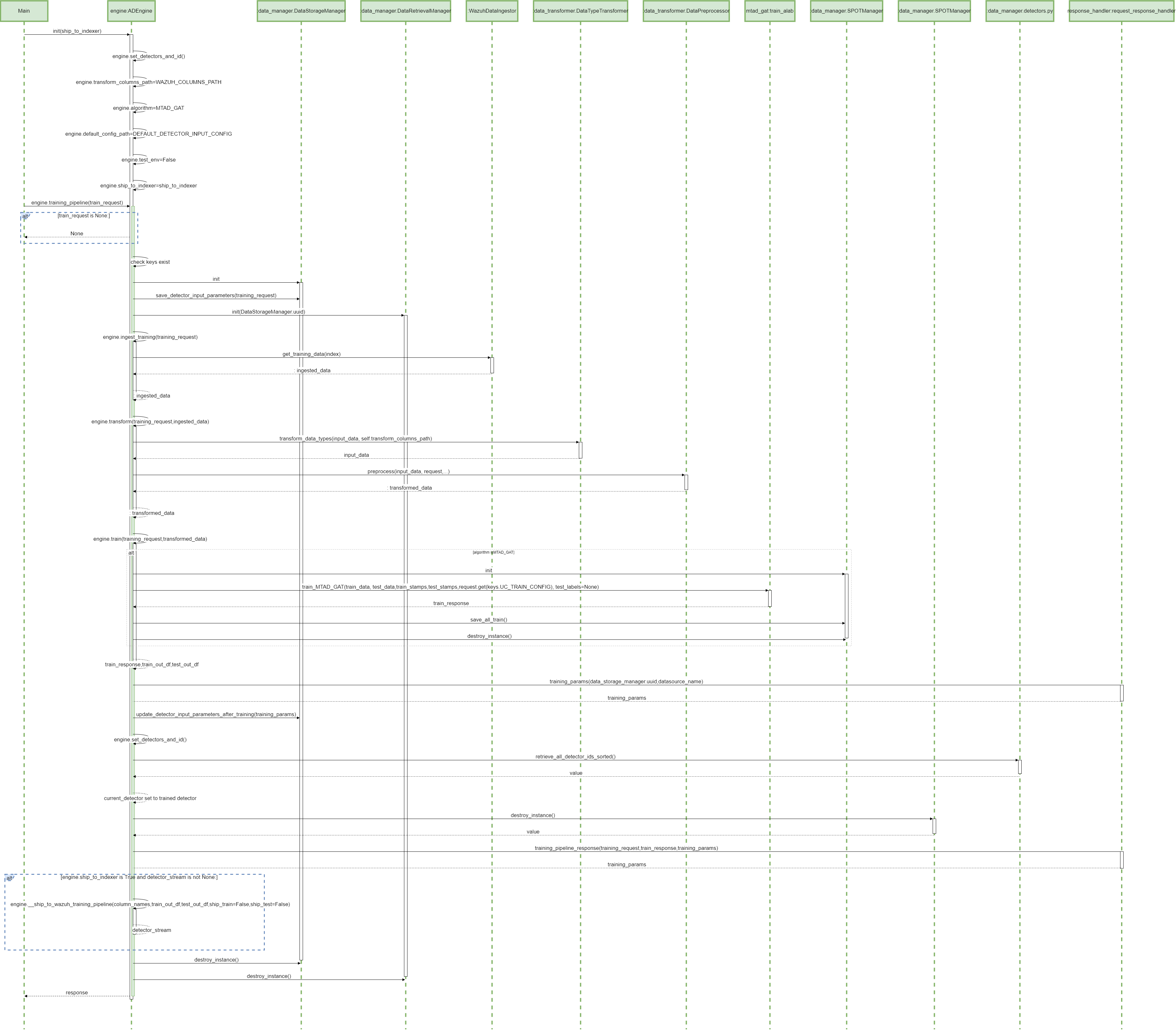
Parent links: LARC-001 ADBox training pipeline flow
4.2 ADBox prediction pipeline SWD-002
The diagram depicts the sequence of operations in the prediction pipeline, orchestrated by the ADBox Engine.
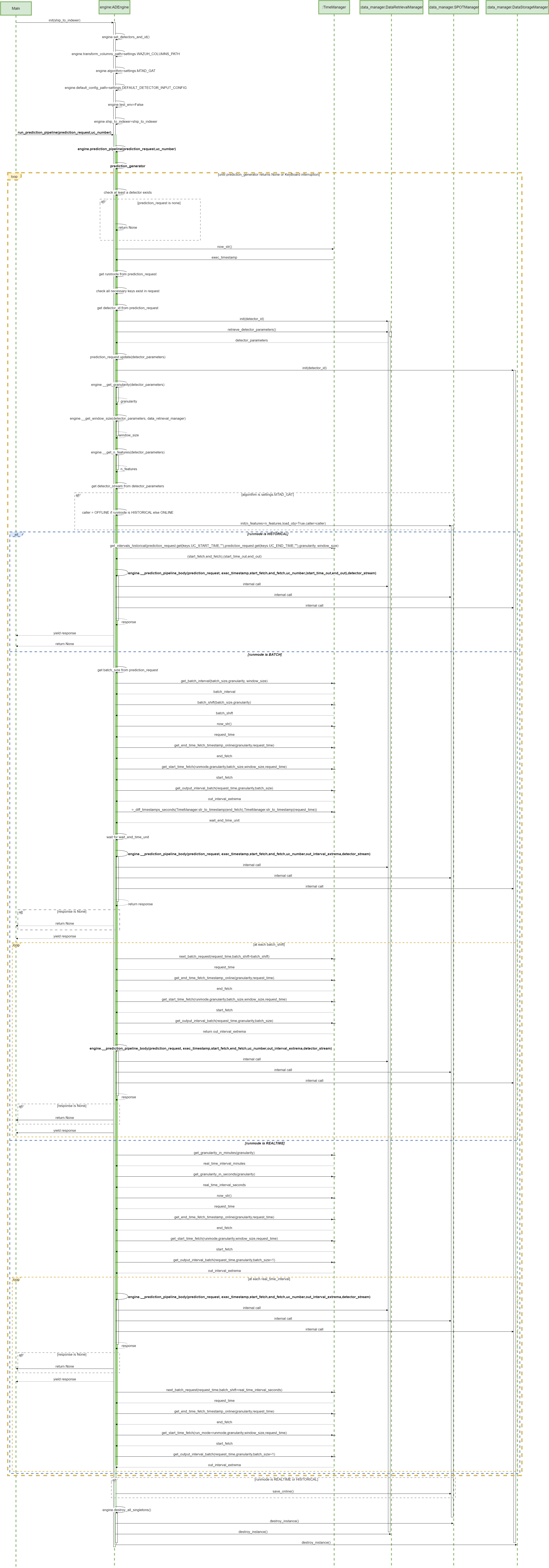
Parent links: LARC-002 ADBox historical data prediction pipeline flow, LARC-008 ADBox batch and real-time prediction flow
4.3 MTAD-GAT training SWD-003
The diagram depicts the sequence of operations run by the function train_MTAD_GAT of the MTAD_GAT ML-subpackage of ADBox.
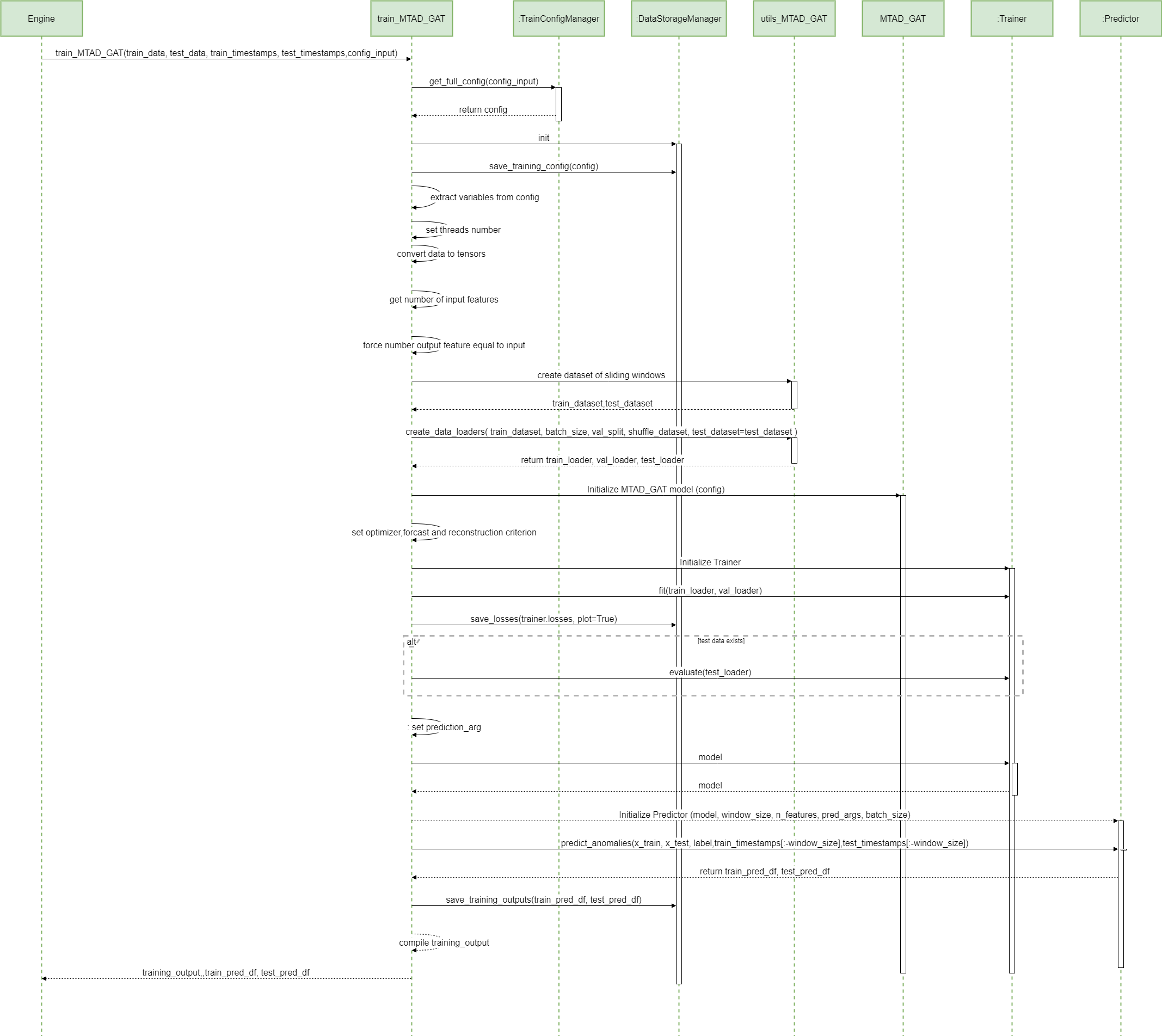
Parent links: LARC-009 ADBox machine learning package
4.4 MTAD-GAT prediction SWD-004
MTAD GAT prediction sequence diagram
The diagram depicts the sequence of operations run by the function predict_MTAD_GAT of the MTAD_GAT ML-subpackage of ADBOX.
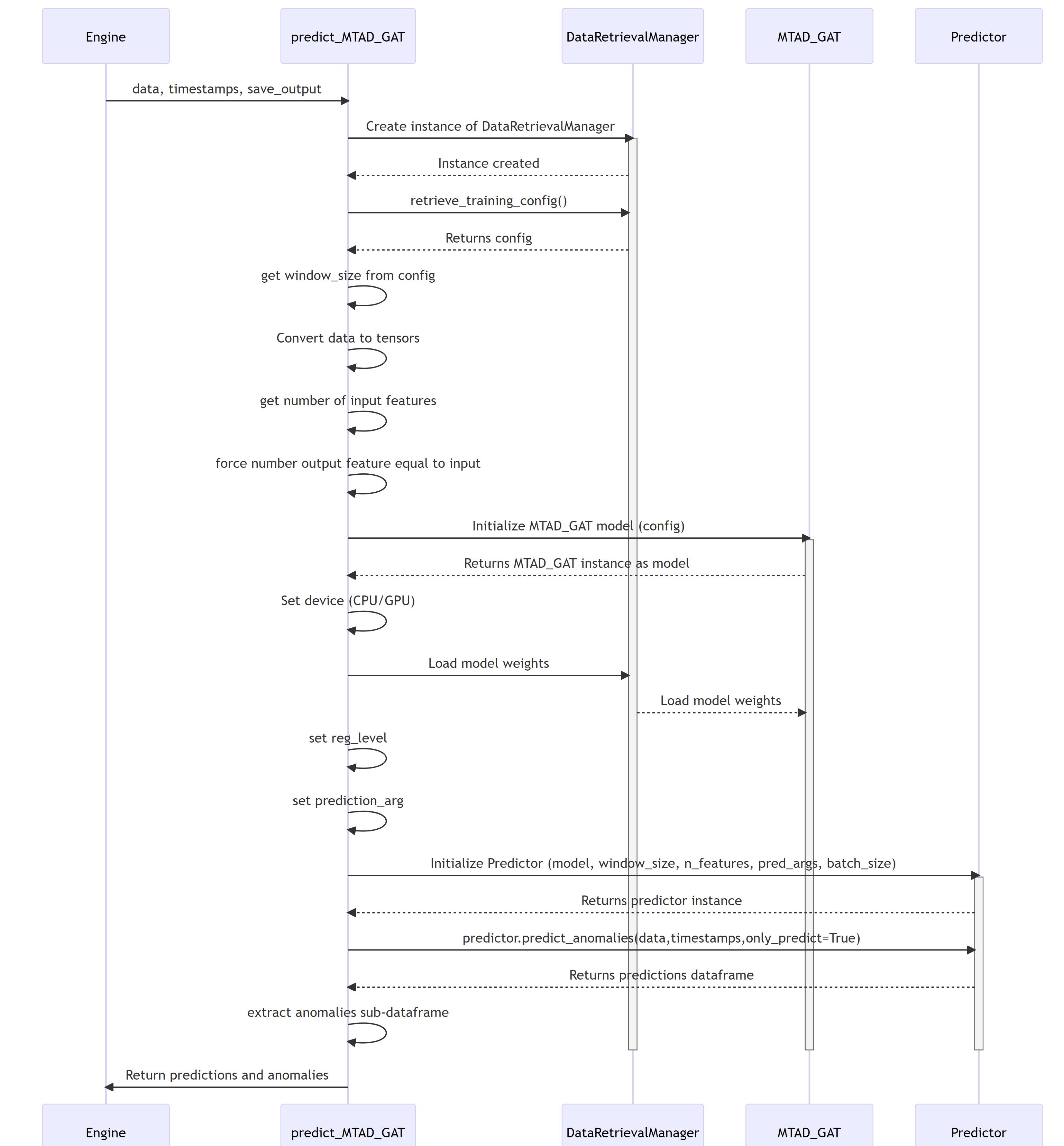
Parent links: LARC-009 ADBox machine learning package
4.5 Peak-over-threshold (POT) SWD-005
POT evaluation sequence diagram
The diagram depicts the sequence of operations run by the function pot_eval of the MTAD_GAT subpackage of ADBox.
This function runs the dynamic POT (i.e., peak-over-threshold) evaluation.
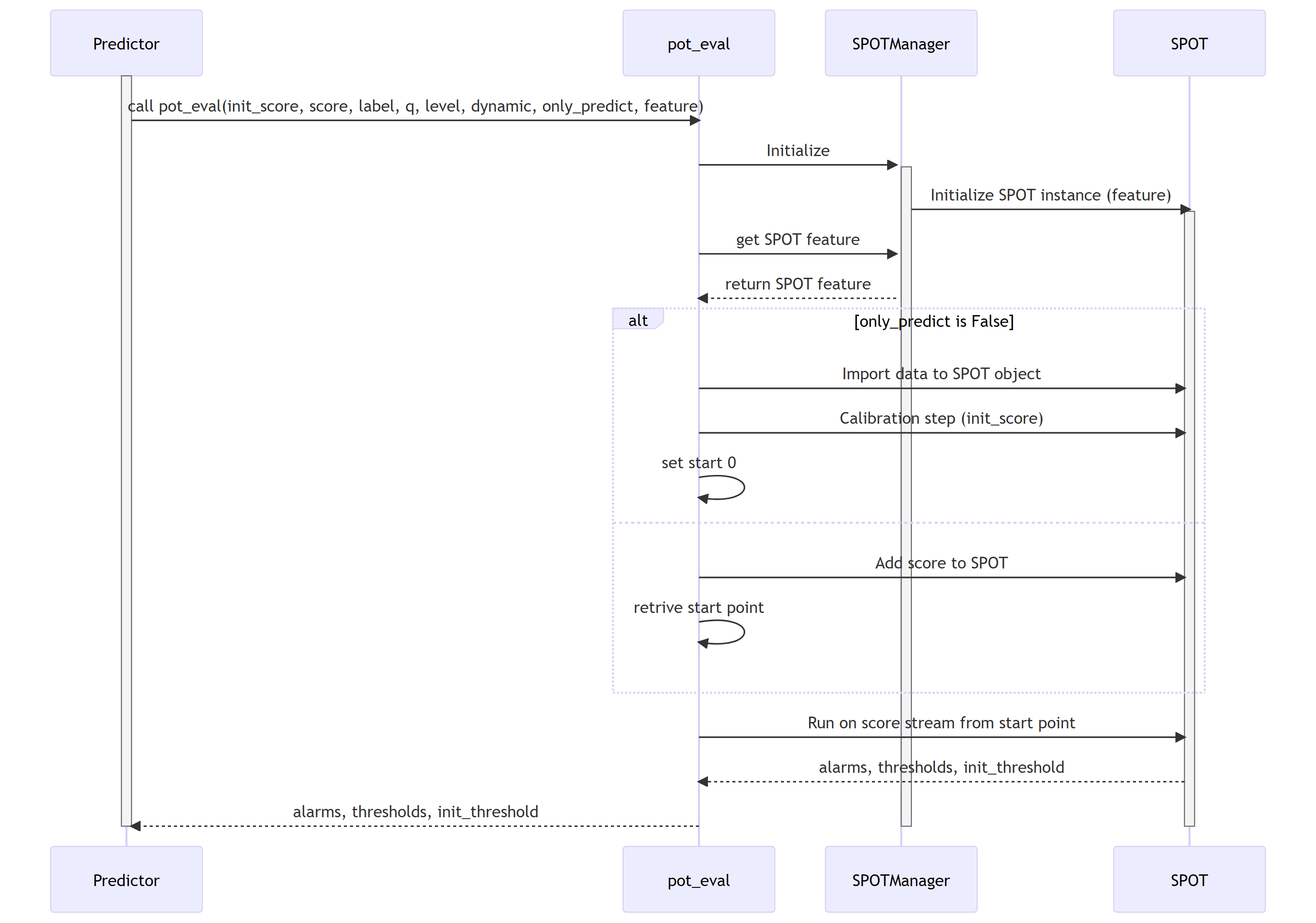
Parent links: LARC-009 ADBox machine learning package
4.6 ADBox Predictor score computation SWD-006
Predictor score computation sequence diagram
The diagram depicts the sequence of operations run by the function get_score method of the Predictor class in the MTAD GAT PyTorch subpackage of ADBox.
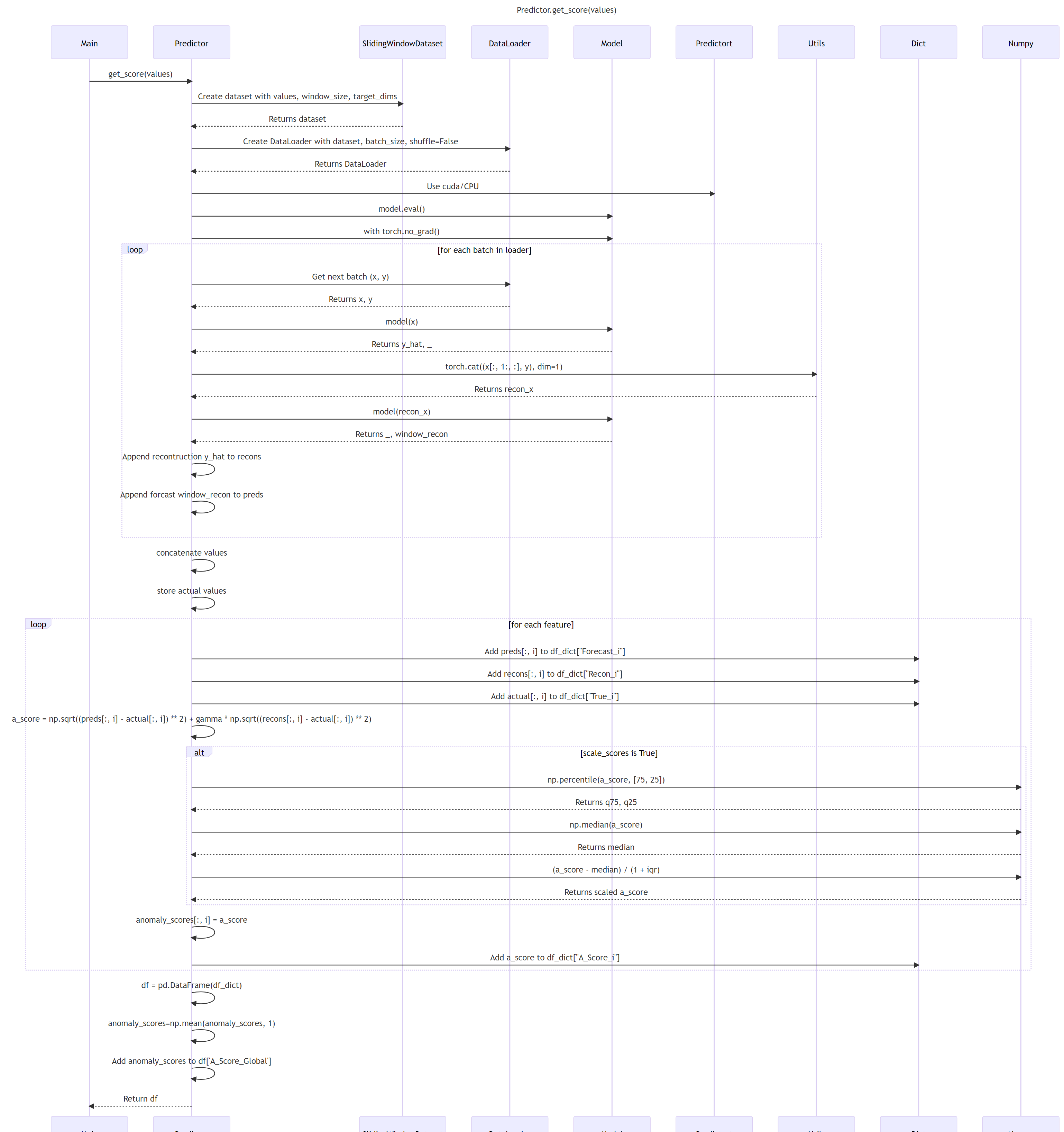
Parent links: LARC-009 ADBox machine learning package
4.7 ADBox MTAD-GAT anomaly prediction SWD-007
ADBox MTAD GAT anomaly prediction sequence diagram
The diagram depicts the sequence of operations run by the function predict_anomalies method of the Predictor class in the MTAD GAT PyTorch subpackage of ADBox.
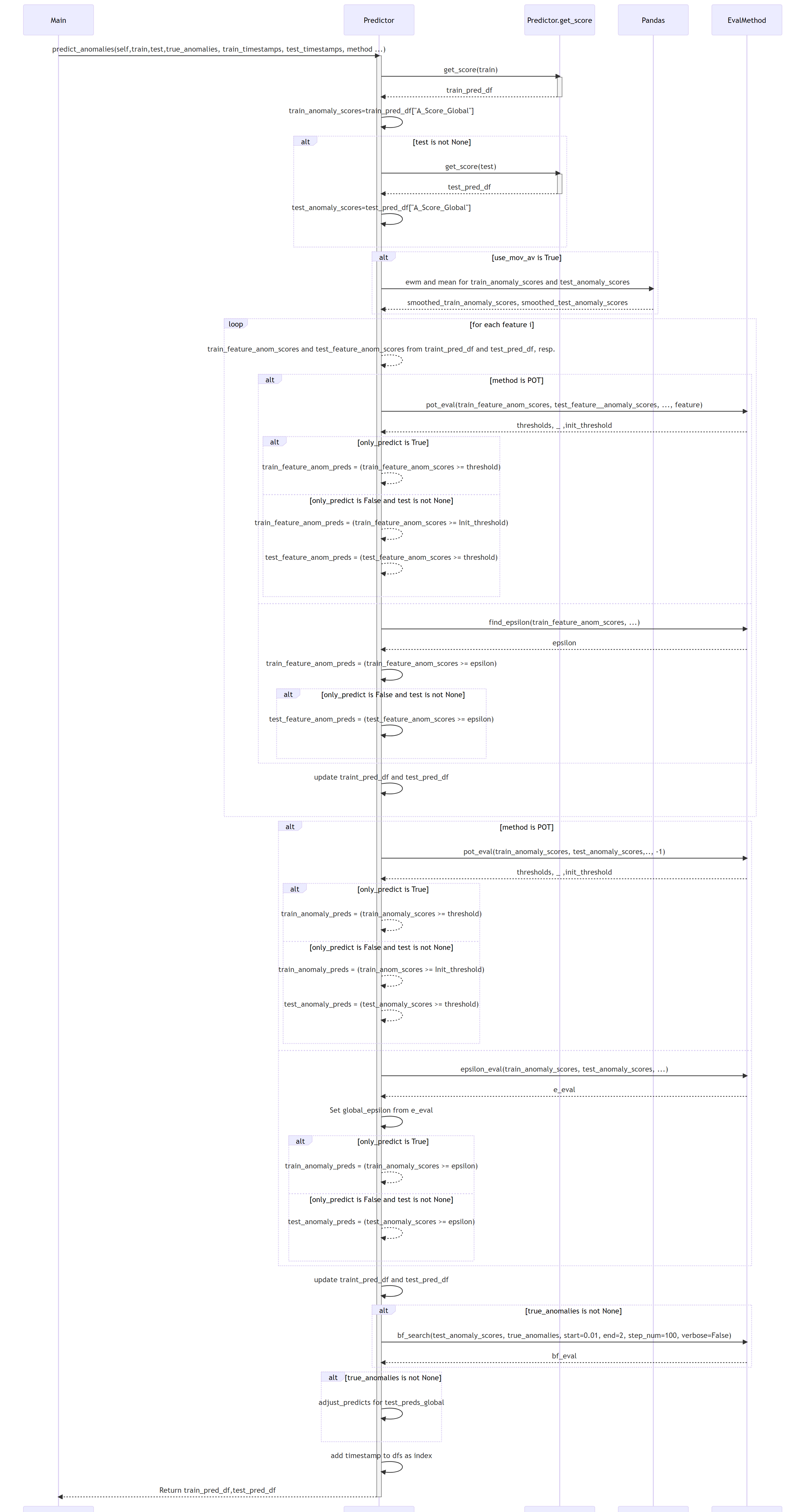
Parent links: LARC-009 ADBox machine learning package
4.8 ADBox MTAD-GAT Predictor SWD-008
ADBox MTAD GAT Predictor class diagram
The diagram below depicts the Predictor class of the MTAD GAT PyTorch subpackage of ADBox.
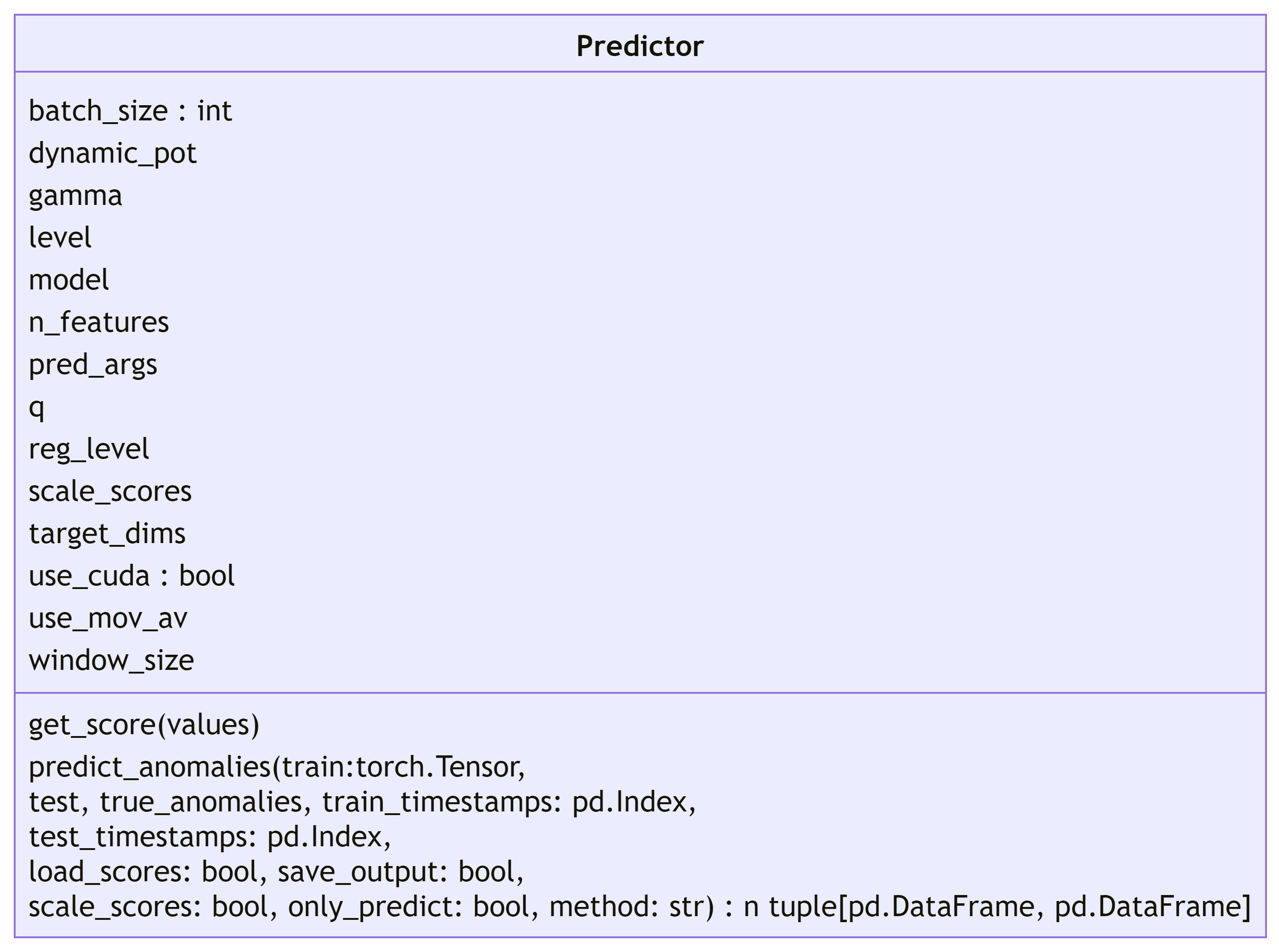
Parent links: LARC-009 ADBox machine learning package
4.9 ADBox data managers SWD-009
ADBox data manager class diagrams
The diagram below depicts the Data manager classes of ADBox, all designed and implemented as Singleton classes.
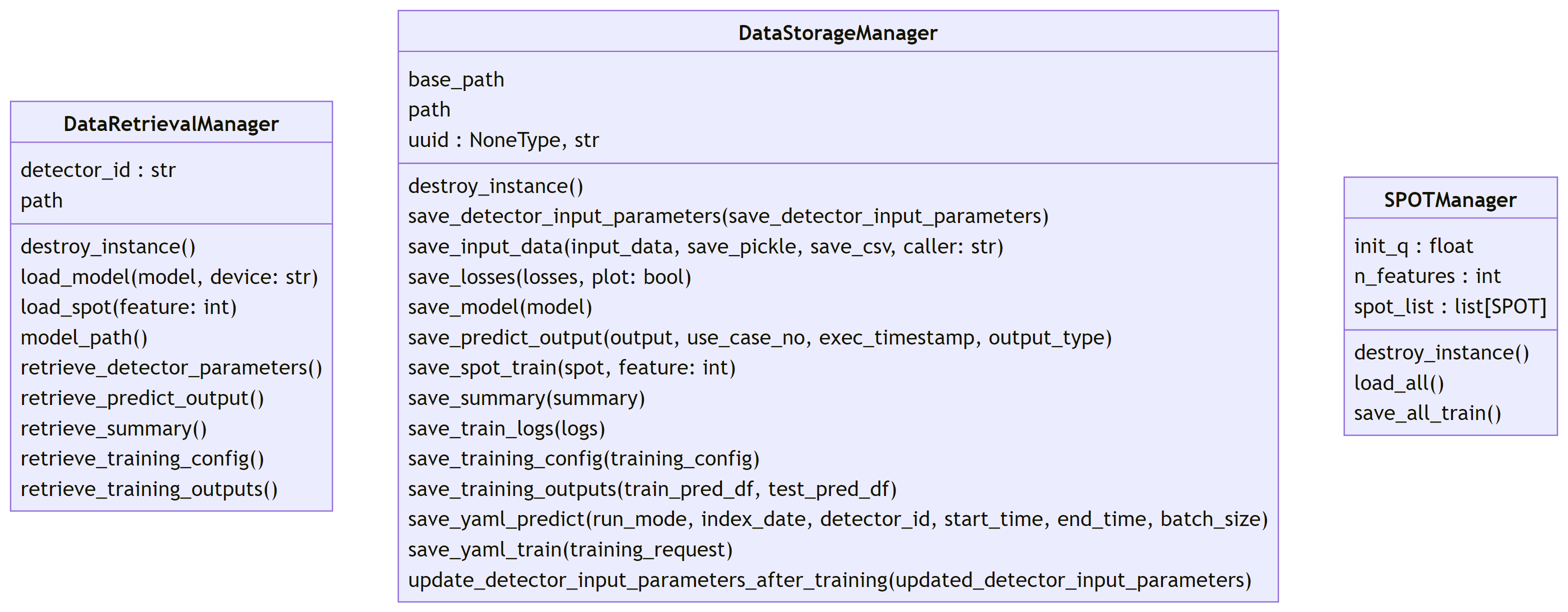
Parent links: LARC-010 ADBox data manager
4.10 ADBox data transformer SWD-010
ADBox data transformer class diagram
The diagram below depicts the Data Transformer class of ADBox.
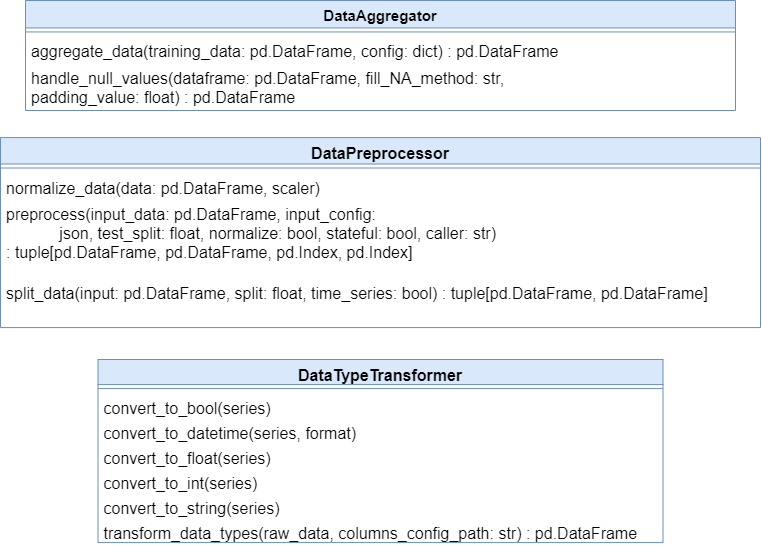
Parent links: LARC-003 ADBox preprocessing flow
4.11 ADBox preprocessing SWD-011
ADBox preprocessing sequence diagram
The diagram summarizes the sequence of actions of the method Preprocessor.preprocessing in the ADBox DataTransformer.

Parent links: LARC-003 ADBox preprocessing flow
4.12 ADBox TimeManager SWD-012
ADBox time manager class diagrams
The diagram below depicts the Time manager classes of ADBox.
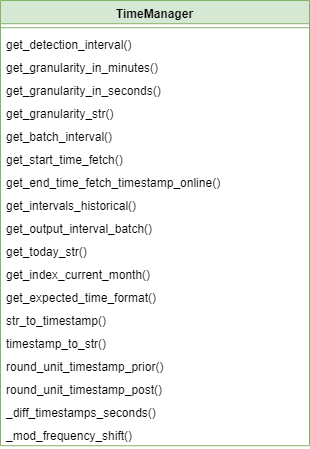
Parent links: LARC-011 ADBox TimeManager
4.13 ADBox Prediction pipeline's inner body SWD-013
Prediction pipeline sequence diagram
The diagram depicts the sequence of operations in the prediction pipeline body (private method), called by the prediction pipeline.
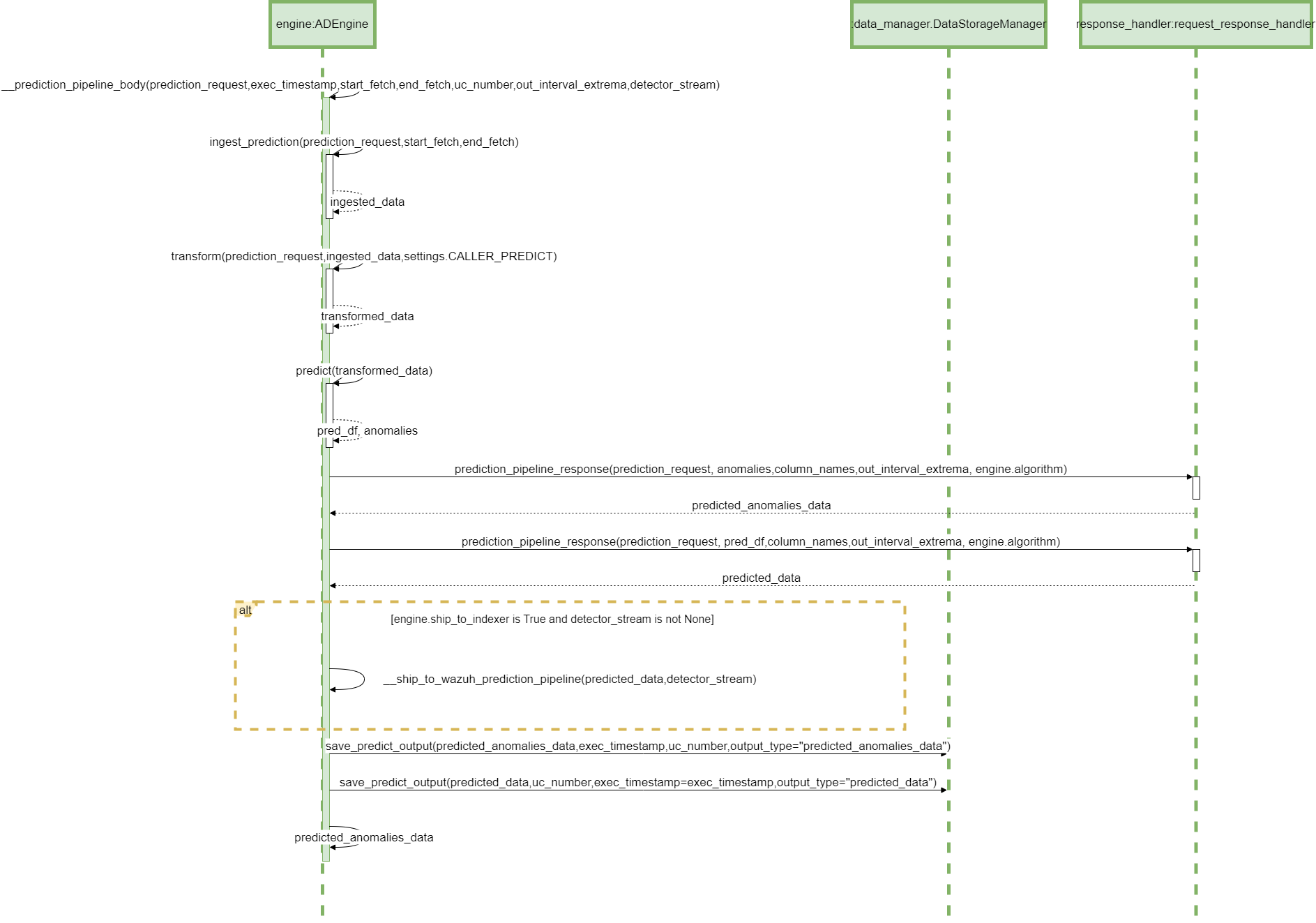
Parent links: LARC-002 ADBox historical data prediction pipeline flow, LARC-008 ADBox batch and real-time prediction flow
4.14 ADBox config managers SWD-014
ADBox config manager class diagrams
The diagram below depicts the Config manager classes of ADBox.
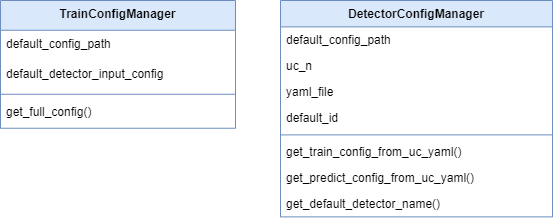
Parent links: LARC-012 ADBox ConfigManager
4.15 ADBox Shipper and Template Handler SWD-015
ADBox Shipper and Template Handler class diagrams
The diagram below depicts the DataShipper,WazuhDataShipper and TamplateHandler classes of ADBox.
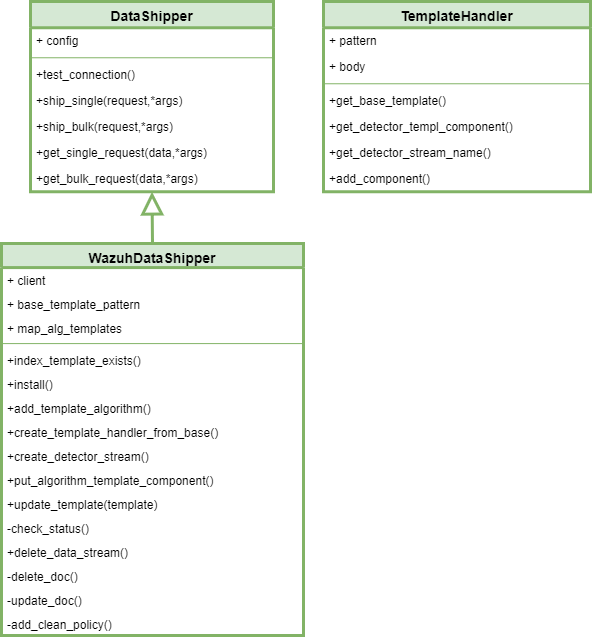
Parent links: LARC-014 ADBox Shipper
4.16 ADBox shipping of prediction data SWD-016
Sequence diagram of ADBox shipping of prediction data
The diagram below depicts the sequence of actions orchestrated by the ADBox Engine when shipping is enabled within the prediction pipeline.
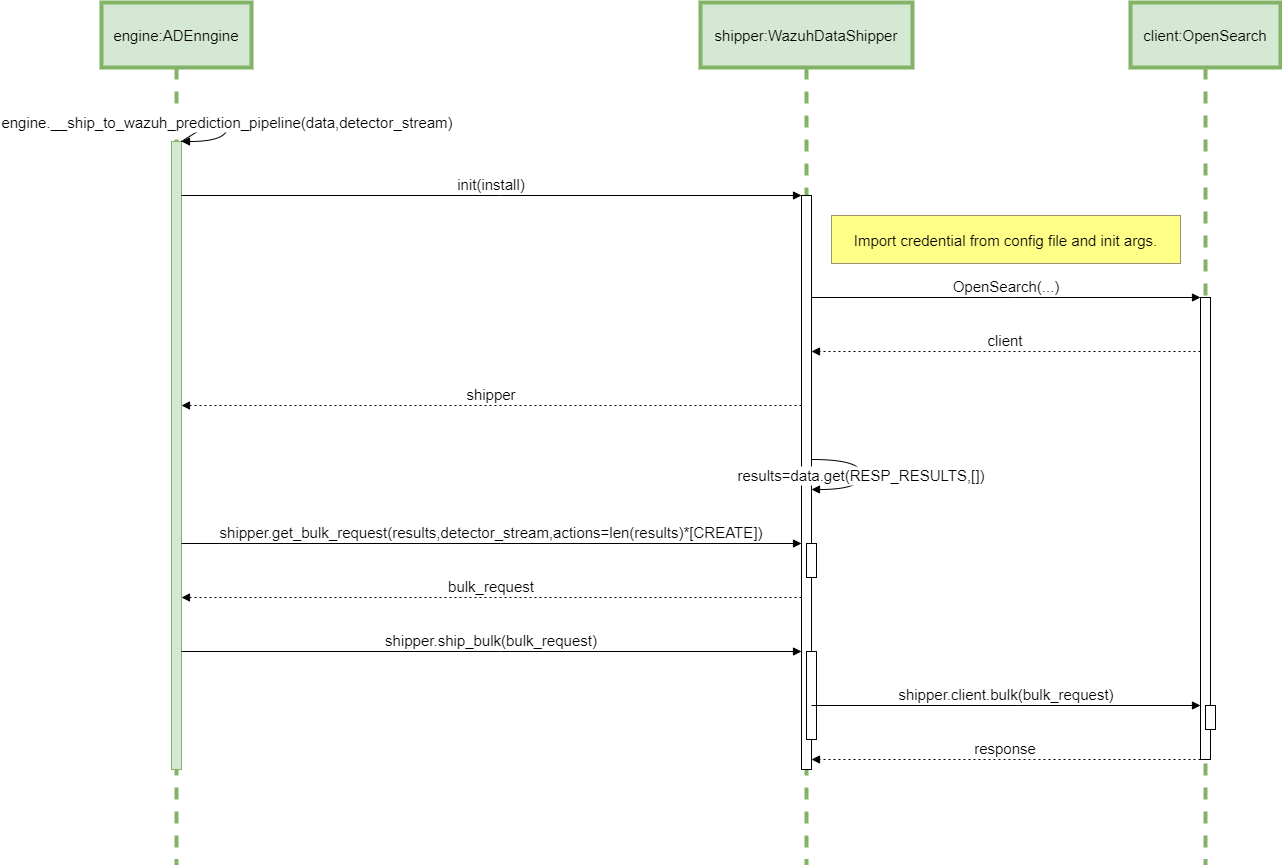
Parent links: LARC-014 ADBox Shipper
4.17 ADBox creation of a detector stream SWD-017
Sequence diagram of ADBox creation of a detector stream
The diagram below depicts the sequence of actions orchestrated by the ADBox Engine when shipping is enabled within the training pipeline.
Specifically, the __ship_to_wazuh_training_pipeline method which
- creates a detector data stream amd the correspondig templates.
- and can ship the test and training data predictions.
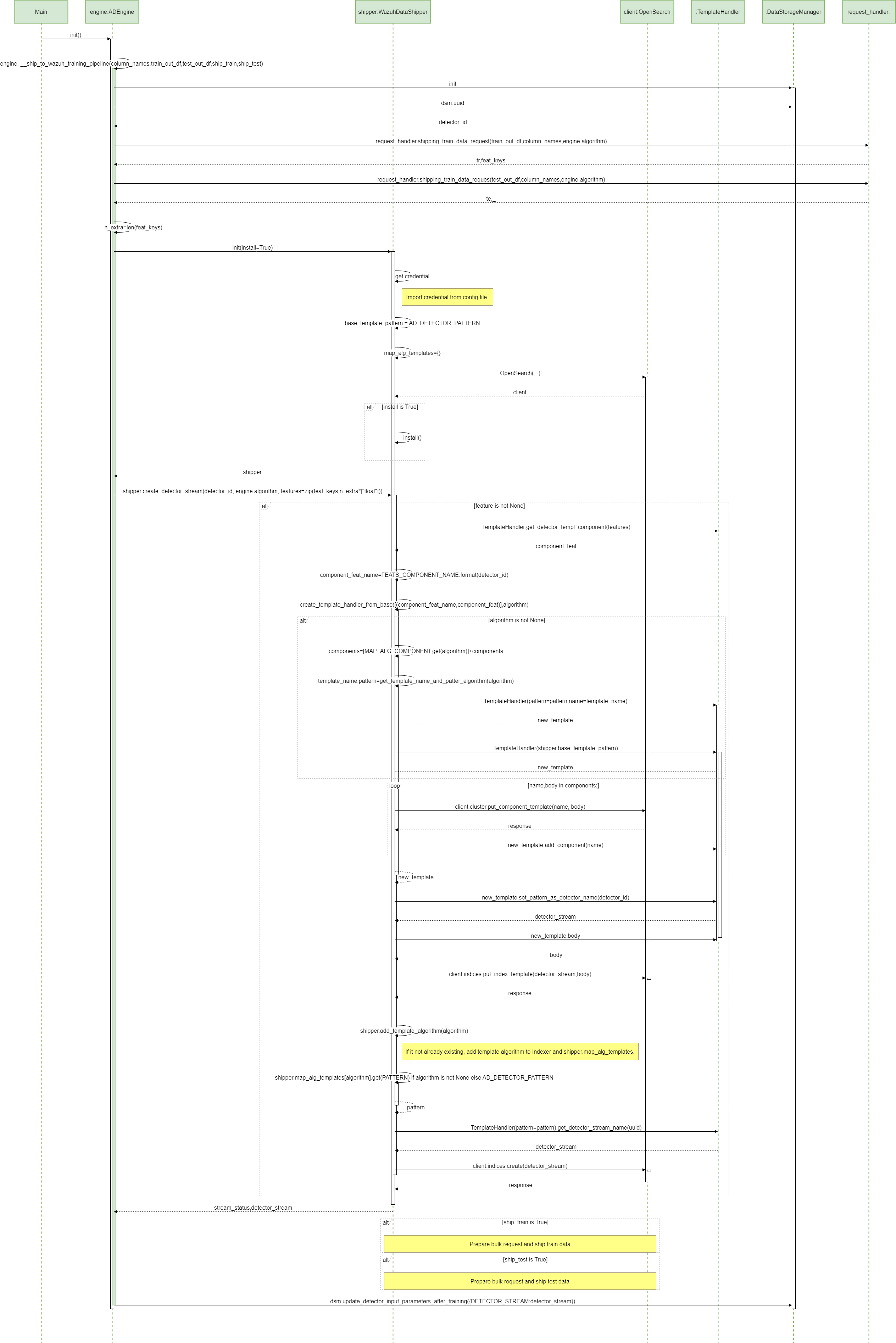
Parent links: LARC-014 ADBox Shipper